

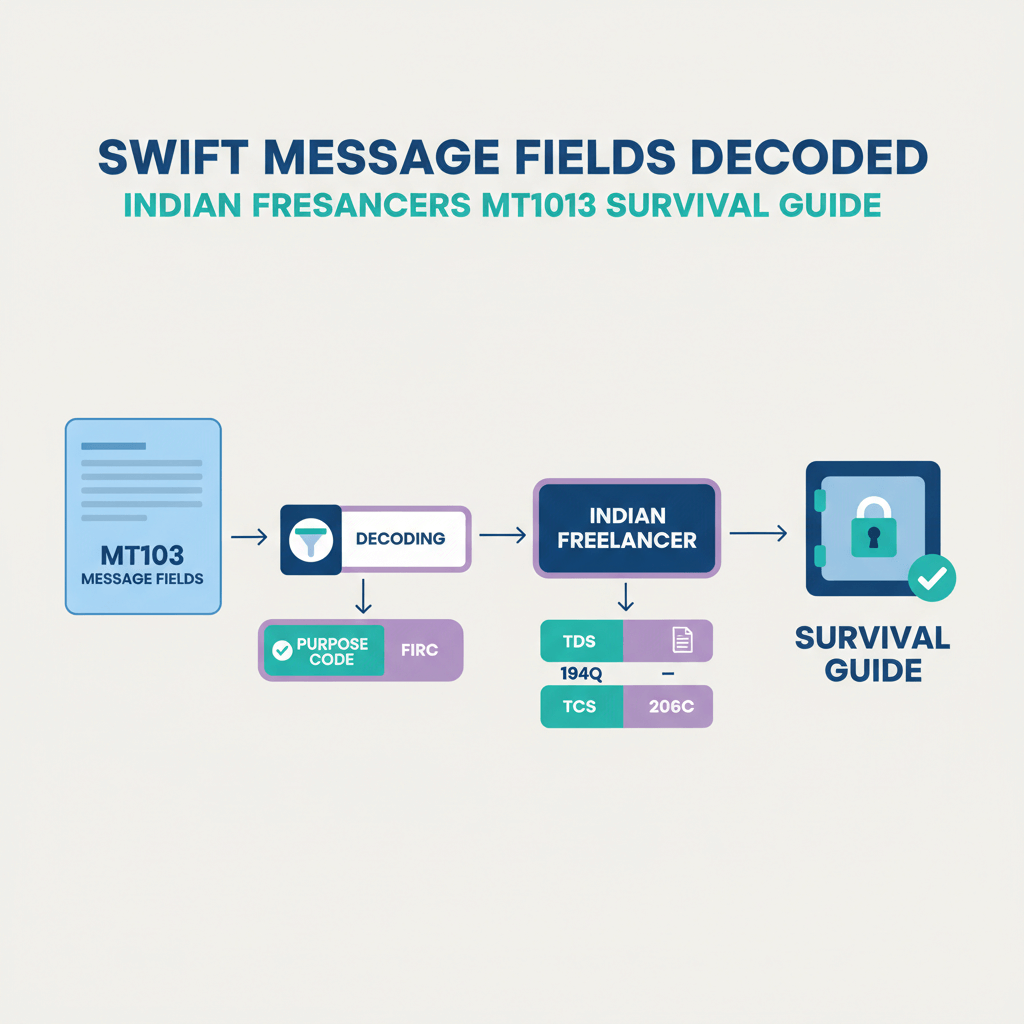


Key takeaways
- An MT103 is the banks’ official receipt for a customer credit transfer, it is your fastest way to trace delays, verify details, and prove foreign income.
- Six fields matter most for Indian freelancers: 20, 23B, 32A, 50, 59, 71A, master these and you will fix payment problems quickly.
- Field 71A decides who pays fees, ask clients to select OUR so you receive the full invoiced amount without intermediary deductions.
- Field 32A shows the value date, currency, and amount, use it to set realistic INR credit expectations after weekends or holidays.
- Fields 50 and 59 must match your contract and bank records exactly, even small typos can trigger KYC holds or returns.
- Always request the MT103 right after your client initiates the wire, keep the sender reference from field 20 for fast bank support.
- Use your MT103 to generate and reconcile e-FIRA, store it with invoices for FEMA, GST, and tax filings.
- For regular client payments, consider local rails via a virtual account solution like Karbon Business, then use SWIFT only for special cases.
Why MT103 matters for Indian freelancers receiving international payments
You close a big deal, the client says the money is sent, your bank says nothing has arrived, and you are stuck in the middle. The document that cuts through this confusion is the MT103, the message banks rely on to trace funds, confirm instructions, and identify who charged which fees. Compared to an MT202, which is a bank to bank order with no customer information, the MT103 carries complete customer details, your client, you, the amount, and the charge option.
Think of the MT103 as the birth certificate of your payment, the document that proves origin, amount, and route when anything goes wrong.
If you want a refresher on message types, see SWIFT MT202 vs MT103. For a starter explainer, this external guide is useful, What is MT103.
When Indian banks process inward remittances, they build compliance records and generate e-FIRA using MT103 data. That is why a mismatch in the ordering customer’s name, a wrong purpose description, or a typo in your beneficiary details can freeze your funds. You can avoid most of these issues if you review a client’s MT103 promptly, then share precise corrections before the payment routes into India.
Quick primer on MT103 basics, before we decode the fields
When a client initiates a wire, their bank generates the MT103 with standardized numbered fields. The message travels across correspondent banks before reaching your Indian bank. You usually receive a PDF or text copy upon request. If the client or bank uses SWIFT gpi, you also get a UETR to track progress across the network in near real time. Learn more in What is SWIFT gpi and UETR Number.
In practice, your support ticket becomes easier when you attach the MT103, quote the sender reference in field 20, and point to the value date in field 32A. Support teams can then trace intermediary holds, holiday delays, or defective routing without guesswork.
If you want an additional perspective, see this external explainer, MT103 overview.
Understanding key MT103 field meanings, the six fields you must know
Field 20: Sender reference, your tracking lifeline
What it is: A unique transaction reference from the sender’s bank, for example CIBC20240510XYZ789.
Why it matters: It is the number your and the client’s bank use to trace the payment. Quote it in every support message, save it in your invoice tracker, and match it against your statement later.
Action: Ask clients for field 20 immediately after they send the wire, keep a screenshot so you do not lose time later.
Field 23B: Bank operation code, confirming it is a credit
What it is: A short code that indicates the operation, for customer credit it should be CRED.
Why it matters: If it is not CRED, automated systems may reject the message.
Action: If you see anything other than CRED, ask the client’s bank to correct before funds move further.
Field 32A: Value date, currency, amount, the heart of your invoice
What it is: One field, three data points, value date, currency, and amount, for example 240515USD5000,00.
Why it matters: The value date is when funds are supposed to credit, weekends and holidays push this forward. Currency and amount must match your invoice to avoid compliance queries or wrong conversions.
Action: Cross check 32A with your invoice, plan INR settlement for 24 to 48 hours after the value date. If currency is wrong, request a recall or amendment immediately.
For a plain language guide, see this external article, MT103 overview.
Field 50: Ordering customer, your client’s details
What it is: The payer’s information, sometimes as 50K free text or structured formats.
Why it matters: Indian banks enforce KYC, if field 50 does not match your contract or invoice, compliance will ask for proof, and the payment may sit on hold.
Action: Confirm with clients which legal name will appear on the wire, match that name on your invoice, and keep the contract ready for quick submission.
Field 59: Beneficiary customer, that is you
What it is: Your legal name, account number, bank, and SWIFT code.
Why it matters: Even a minor typo can cause a return with fees.
Action: Share a one page payment instruction sheet, ask clients to copy paste details rather than retype, verify field 59 the moment you receive the MT103.
Field 71A: Details of charges, who pays the fees
What it is: The three letter fee split code, OUR, SHA, BEN. See a deeper breakdown in BEN vs SHA vs OUR.
Why it matters: With SHA, intermediary banks deduct fees, and your Indian bank may charge receiving and conversion fees, you net less than the invoice. With OUR, the sender pays all fees, you receive the full amount.
Action: Add a clear line to your invoice, “Please select OUR so the full amount reaches me,” then confirm 71A inside the MT103. If you are short credited, document the difference and ask the client to cover or switch to OUR next time.
For a concise list of required fields, see MT103 mandatory fields.
Step by step visual checklist for reading your MT103 document
- Step 1: Locate field 20, save the sender reference, use it on every support message.
- Step 2: Check 23B for CRED, if not CRED, escalate immediately.
- Step 3: Review 32A for value date, currency, amount, plan INR settlement 24 to 48 hours after the value date.
- Step 4: Verify 50, make sure the ordering customer matches your invoice and contract.
- Step 5: Validate 59, your name, account number, and SWIFT, exact match only.
- Step 6: Read 71A, OUR means full amount, SHA or BEN means deductions.
- Bonus: If present, use field 21 for related reference, and field 72 for invoice notes to make reconciliation painless.
Common MT103 issues Indian freelancers face, and how to fix them
Scenario 1: Payment delayed despite MT103 showing it was sent
Check field 32A for the value date, add 24 to 48 hours for INR settlement. If the value date has passed, quote field 20 and ask your bank to trace, include the MT103 copy, and the UETR if available. For a deeper troubleshooting playbook, see SWIFT troubleshooting, stuck transfers.
Scenario 2: You received less than invoiced
Check field 71A, if it is SHA, intermediary and receiving bank fees reduced your amount. Compare 32A against your credit, then ask your bank for a charges statement. Educate the client to use OUR, or quote a grossed up amount that nets correctly.
For alternatives that avoid intermediary fees on frequent payments, consider Karbon Business, local ACH, SEPA, and FPS rails, 24 to 48 hour INR settlement, zero FX markup, and auto e-FIRA.
For a quick external overview, see What is SWIFT MT103.
Scenario 3: Bank holding payment due to name or account mismatch
Check fields 50 and 59, prepare a one page PDF with the MT103, invoice, contract, and a short explanation of the relationship, then submit quickly. If 59 has an error, ask the sender’s bank for an amendment with a letter of indemnity.
Scenario 4: Compliance or KYC query due to ordering customer mismatch
Check 50 carefully, then send invoice, contract or SOW, communication trail, portfolio evidence, and purpose code confirmation. Reply within 24 to 48 hours so funds do not sit on hold. For a fast answer set, see Bank compliance, KYC or AML remittance queries.
How to request and use an MT103 effectively as a freelancer
From your client: Ask for the “MT103 payment confirmation” immediately after they send the wire, most banks provide the PDF in minutes. Share a short list of fields you need, 20, 32A, 50, 59, 71A, plus the UETR.
From your bank: If the client cannot obtain it, your Indian bank can request and trace, but expect three to five business days. Quote the expected amount, currency, sender name, and approximate date.
Once you have it: Run the six field checklist, save the MT103 with your invoice and e-FIRA, and use it to negotiate OUR charges or switch to local rails on recurring work.
For reconciliation tips, see SWIFT MT103 reconciliation, and for fee transparency, see SWIFT fee breakdown India.
Practical freelancer guidance on managing fees and payment settings
- Educate clients on field 71A: Add a line to your invoice that asks for OUR, explain in simple terms that shared fees reduce the amount you receive.
- Quote gross when needed: If a client cannot select OUR, gross up so you net your target after typical fees.
- Plan around value dates: Ask clients to initiate wires at least five business days before milestones, weekend and holiday offsets are real.
- Share a single sheet of bank details: Name as per bank records, account, IFSC, SWIFT, bank address, charge option OUR, and purpose description, this eliminates most 59 errors.
- Track payments in a spreadsheet: Store the sender reference, value date, and the amount received, then reconcile fees over time.
MT103 fields and e-FIRA compliance for Indian freelancers
Indian banks generate e-FIRA using MT103 data, fields 32A, 50, and 59. If the purpose code is missing or incorrect, or names mismatch, compliance teams ask for clarifications and funds may remain on hold.
Make it easy:
- Communicate the correct purpose code to your bank, for example S0102 for software services, S0103 for other professional services.
- Use specific invoice descriptions, “Payment for website development,” not “Payment for services.”
- Save every e-FIRA and reconcile against your MT103, correct mistakes quickly to avoid audit pain later.
For a quick reference, see e-FIRA or FIRC documents guide.
Where platforms like Karbon Business help you avoid MT103 headaches
SWIFT works, but it is slow and fee prone. For frequent client payments, move to local rails that remove intermediaries entirely. With Karbon Business, clients pay you via local ACH, SEPA, or FPS into virtual USD, EUR, GBP, or CAD accounts, you settle INR in 24 to 48 hours, zero FX markup, automatic e-FIRA, and transparent pricing. You can then treat occasional SWIFT wires as special cases and audit them with your six field checklist.
If you need a quick overview of message types again, revisit SWIFT MT202 vs MT103.
FAQ
MT103 copy kaise milega, client bank se kitna time lagta, and what exactly should I ask for?
Ask your client for the “MT103 payment confirmation” right after they initiate the wire, most banks can send a PDF within minutes. Request these fields explicitly, 20 sender reference, 32A value date, currency, amount, 50 ordering customer, 59 beneficiary, and 71A charges, plus the UETR if available. If the client cannot obtain it, your Indian bank can trace and request, but that usually takes three to five business days.
OUR vs SHA, which option should I tell the client to use so I get full payment in India?
Value date ka matlab kya hai in field 32A, INR credit kab aayega exactly?
The value date in 32A is the day banks agree funds should credit, it can move forward for weekends and holidays in either country. In India, expect INR settlement 24 to 48 hours after the value date, sometimes longer if an intermediary bank holds the transfer. Always check 32A before raising a “delayed payment” ticket.
Bank bol raha hai KYC or source of funds clarify, MT103 se kaise reply doon?
Use fields 50 and 59 from your MT103 to anchor your reply, then attach your invoice, contract or SOW, a short explanation of the remitter relationship, and a purpose code confirmation like S0102 or S0103. Submit within 24 to 48 hours so funds do not remain on hold. If you need formats and checklists, see Bank compliance, KYC or AML remittance queries.
MT103 se payment guarantee hota hai kya, ya funds return bhi ho sakte hain?
An MT103 is proof the sender’s bank initiated a customer credit transfer, it does not guarantee your account credits if details are wrong. Errors in field 59, wrong SWIFT, or compliance holds can cause returns. That is why checking fields 50 and 59, and correcting quickly is essential. If a return happens, intermediaries may deduct fees, so ask the client for OUR next time.
Client ne USD bheja, invoice EUR tha, ab kya hoga, can I fix after sending?
If 32A shows currency mismatch, ask the sender’s bank to recall or amend immediately before it converts at an unfavourable rate. Provide the correct invoice currency and amount, and confirm the charge option in 71A. For future payments, share a one page instruction sheet with exact currency and OUR charges, or use local EUR rails via a virtual account to avoid SWIFT conversions entirely.
UETR se tracking kaise karein, aur MT103 reconciliation bank statement ke saath kaise match hoga?
Intermediary bank charges kaise pata chale, and how do I reduce them for small payments like 100 to 300 USD?
e-FIRA kab milta hai, MT103 se e-FIRA generate hota hai kya, and where should I store it?
MT202 ko MT103 ke jagah de diya client ne, kya yeh kaam karega proof of payment ke liye?
Beneficiary details galat aa gaye 59 mein, ek letter se fix ho sakta hai kya, ya payment return hoga?
Karbon Business pe OUR, SHA ka impact kya hota hai, and can I avoid SWIFT completely?
