Business

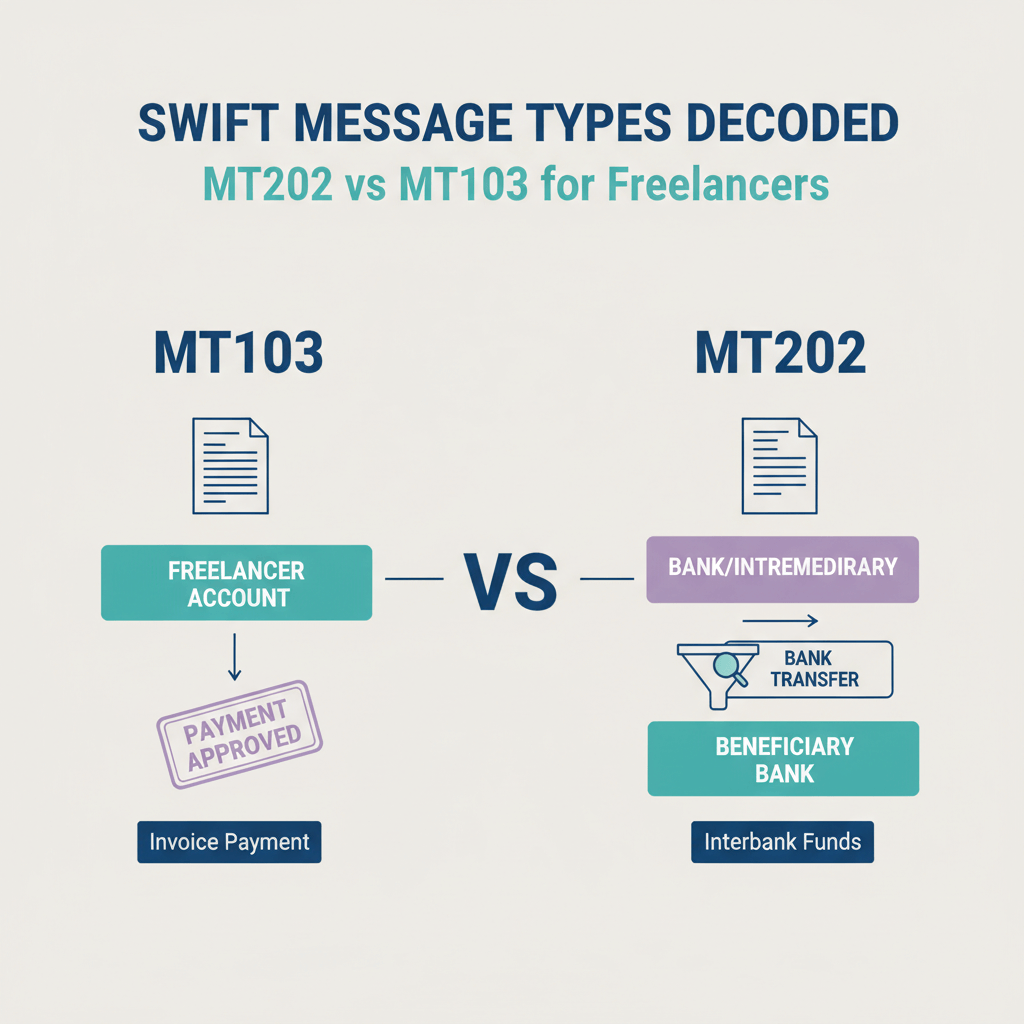
SWIFT message types decoded: MT202 vs MT103 for freelancers

Content
share on
Contents
Share On

Key takeaways

  • MT103 is the customer credit transfer that includes your beneficiary details and the UETR, MT202 is only for bank to bank transfers and, by itself, is not proof that your payment reached you.
  • Always ask your client for the MT103 and UETR, an MT202 alone only shows interbank settlement, not your account credit.
  • Fees can be deducted by intermediaries, your receiving bank, and via FX markups, the charges code in field 71A (OUR, SHA, BEN) decides who pays.
  • Use local rails like ACH, SEPA, or FPS when possible, they are faster and cheaper than SWIFT for freelancers.
  • Keep compliance clean in India, e-FIRA, correct purpose codes, and exact name matches prevent delays.
  • Karbon Business helps you skip unnecessary SWIFT hops, offers zero FX markup, fast INR settlement, automatic e-FIRA, and a simple 1% platform fee.

Why this matters for Indian freelancers

You invoice, the client says they paid, then silence. Days later the credit is short, and the only “proof” you see is labeled MT202. Should you celebrate or worry? Understanding SWIFT MT202 vs MT103 can literally save you thousands, because SWIFT is a global messaging system, not a place where your money sits. Banks send standardized messages to move funds, and if you accept the wrong proof, you may struggle to trace delays, recover unexpected deductions, or even prove that your client paid you.

Bottom line: MT103 is your proof, MT202 is for banks. If you only have an MT202, you do not have evidence that your money reached your account.

Quick answer: what’s the difference in SWIFT MT202 vs MT103?

  • MT103: The customer credit transfer that sends money to you as beneficiary, it includes your details, amount, currency, and fee split. It is the document to request for proof and tracking. See this primer on SWIFT’s flow as a global messaging system.
  • MT202: Used for bank to bank transfers only, it contains no end customer details, often funding correspondent accounts or settling between banks, more here on MT202.
  • MT202 COV: The “cover” message that moves funds through intermediaries while the MT103 carries your beneficiary details to your bank, details on MT202 COV.
  • Rule of thumb: Always demand the MT103 for proof and tracking, an MT202 alone is insufficient, see this payment investigations FAQ.

If a client sends only an MT202 screenshot and says “payment done,” reply politely and request the MT103 and UETR instead.

MT202 meaning, plain English

An MT202 is a SWIFT format for instructing one bank to move funds to another bank, it is strictly interbank. A German bank might instruct its New York correspondent to move funds to an Indian bank’s account, and that instruction is an MT202, more background on MT202 meaning.

  • Standalone interbank settlements: Balancing correspondent accounts, moving a bank’s own funds.
  • As MT202 COV with cover method: Paired with an MT103, the MT202 COV moves funds, while the MT103 carries your beneficiary details, see SWIFT training.

Do not accept an MT202-only slip as proof of payment, it lacks beneficiary fields. For investigations and valid evidence, request the MT103 and UETR as advised in this payment investigations FAQ.

MT202 vs MT103, deeper comparison

  • Who it’s for: MT103 serves end customers, like your client paying you, MT202 serves banks, funding and settlements between institutions.
  • What data is inside: MT103 includes ordering customer, beneficiary name and account, amount, currency, fee split, and UETR. MT202 lists only banks and amounts, unless it’s MT202 COV referencing a linked MT103.
  • Use cases: MT103 for invoices, salaries, remittances, MT202 for correspondent settlements and cover payments.
  • Proof value: MT103 is strong proof of payment instruction to you, MT202 is not proof for an end customer.
  • Tracking: MT103 can be tracked with UETR end to end, MT202 has limited value without the MT103 link, see UETR notes at this explainer.

Banks route payments via two methods, and that explains where each message appears:

  • Serial method: The MT103 hops bank to bank until it reaches your bank in India, each institution sees your beneficiary details, overview in SWIFT training.
  • Cover method: Your bank receives an MT103 with your details directly, while funds travel via MT202 COV through correspondents, more on MT202 COV.

How bank to bank transfers actually move money

Serial method flow:

  1. Client’s bank in London sends MT103 to Intermediary 1 in Frankfurt
  2. Intermediary 1 sends MT103 to Intermediary 2 in New York
  3. Intermediary 2 sends MT103 to your bank in Mumbai
  4. Your bank credits your account

Every hop uses an MT103, which keeps your details visible across the chain, as described in SWIFT’s training.

Cover method flow:

  1. Client’s bank sends MT103 to your bank in Mumbai
  2. Simultaneously, it sends MT202 COV via correspondents to move funds
  3. The MT202 COV references the MT103 for matching
  4. Your bank credits your account when instructions and funds both arrive

Delays occur at compliance screening, name and detail verification, FX conversion windows, or backlog queues. Your bank may wait for incoming MT202 COV funds before crediting, even if it has received your MT103, see this investigations guide.

Proof, tracking, and timelines for freelancers

Ask for the MT103 document and verify these fields:

  • Field 20: Transaction reference number
  • Field 23B: Bank operation code
  • Field 32A: Value date, currency, and amount
  • Field 50K: Ordering customer details
  • Field 56A or 56D: Intermediary bank if any
  • Field 57A or 57D: Account with institution, your bank
  • Field 59: Beneficiary details, your name and account
  • Field 70: Payment reference or invoice note
  • Field 71A: Charges code, OUR, SHA, or BEN
  • Field 72: Sender to receiver information

Also collect the UETR, your universal tracking code for SWIFT gpi, more on UETR at this reference.

Timelines you can expect:

  • Same day to 24 hours, rare and corridor dependent
  • 2 to 3 business days, most common US or UK to India
  • 4 to 5 business days, when multiple intermediaries or compliance holds apply
  • Beyond 5 business days, start a trace using the UETR

Red flags to act on quickly:

  • Client sends only an MT202, no MT103
  • No UETR provided
  • Name or account mismatch vs your bank records
  • Amount or currency differs from the invoice

Fees, where they appear and how to control them

Fees can hit at multiple points in bank to bank transfers, including sending bank charges, intermediary deductions, receiving bank fees, and FX spreads. Even a 2 to 3% FX markup can cost big on larger invoices, see this guide on hidden costs.

The charges code in field 71A of the MT103 decides who pays, see this breakdown of BEN, SHA, OUR:

  • OUR: Client pays all fees, you receive the full amount.
  • SHA: Fees are shared, you lose intermediary and receiving charges.
  • BEN: You pay all receiving side costs, worst for freelancers.

Example on €5,000, OUR vs BEN can differ by ₹6,500 or more after combining deductions and FX spread. Cover routes using MT202 COV may add extra intermediary fees because funds may traverse more correspondent banks, see SWIFT training notes.

Ways to reduce fees:

  • Negotiate OUR on larger invoices
  • Validate every detail to avoid repair fees
  • Prefer local rails like ACH, SEPA, FPS
  • Pick providers with zero FX markup
  • Consolidate small payments
  • Use multi currency accounts and convert when rates are favorable

India specific compliance and documentation

  • e-FIRA: Your bank issues this for every inbound foreign payment, keep each certificate for taxes and GST.
  • Purpose codes: Use the correct code, for freelancers common ones include S0102, S0103, S0104, S0110, S0111.
  • KYC and invoices: Be ready with PAN, contracts, invoices, portfolio links.
  • Tax: Foreign income is taxable in India, report via ITR, export services often under LUT for GST with proper reporting.
  • Delays: Name mismatches, unclear purpose code, first time large receipts, or high risk senders trigger holds, respond fast to bank queries.

How to checklist for freelancers

Before you invoice

  • Choose the right rail, ACH for US, SEPA for EU, SWIFT when necessary
  • Agree the charges code, OUR or SHA in writing
  • Triple check bank name, SWIFT, account, IFSC, and beneficiary name
  • Put payment instructions on your invoice

After client confirms payment

  • Request MT103 and UETR immediately
  • Verify beneficiary name, amount, currency, value date
  • Enable alerts for inbound foreign credits

If payment is delayed

  • Ask your bank to trace using UETR
  • Have client escalate at their bank in parallel
  • Provide invoices or contracts if compliance requests them
  • Check for sanctions or routing issues, escalate if beyond a week

If amount received is short

  • Compare MT103 sent amount with your credited amount
  • Check field 71A to see who pays fees
  • Review inward remittance advice for itemized deductions
  • Request reimbursement if OUR was agreed but you still lost to intermediaries
  • Consider switching rails to avoid repeat losses

For ongoing client relationships

  • Standardize the winning process and reuse it
  • Build a fee buffer if forced to use SHA or BEN
  • Maintain a payment log, track fees and FX costs
  • Review quarterly, if costs exceed 2 to 3%, switch providers

Where Karbon Business helps Indian freelancers

Karbon Business gives you virtual USD, GBP, EUR, and CAD accounts with local details, so US clients can pay ACH, EU clients can pay SEPA, you skip long SWIFT chains, intermediary deductions, and multi day waits. For SWIFT only senders, you still get clarity, zero FX markup, and fast INR settlement.

  • Zero FX markup at mid market rates
  • Fast INR settlement in 24 to 48 hours
  • Automatic e-FIRA generation for compliance
  • Transparent tracking via WhatsApp and dashboard
  • Flat 1% platform fee, no setup or annual charges
  • Hold currency up to 60 days and convert when rates suit you

Open your account at Karbon Business, and move clients to local rails wherever possible, your earnings will thank you.

Real world examples from freelancers

Case 1, US SaaS client to an Indian developer

Client wired $3,000 with SHA, the developer received $2,947 after a $25 intermediary fee and local charges, plus a 2.5% FX markup. After switching to a virtual USD account and ACH, they saved roughly ₹6,200 on the same $3,000. Learn why MT202 driven routes can add extra hops and fees.

Case 2, EU agency to an Indian content writer

SEPA to a virtual EUR account landed in one business day with no fees, the writer converted when INR weakened, adding 1 to 2% vs forced conversions. Earlier SWIFT cover flows took 3 to 4 days with ~€15 monthly fees, see payment investigations that often follow delayed cover payments.

Case 3, delayed payment investigation

£2,500 stuck due to a one character name mismatch, the UETR trace pinpointed the intermediary hold, the sender corrected details and resent, funds arrived in two days. This is exactly why the MT103 and UETR matter, more tracing context in the same investigations FAQ.

Remember, request the MT103 and UETR, agree OUR for bigger invoices, and prefer local rails where possible. Your payment flow becomes faster, clearer, and cheaper.

FAQ

MT202 vs MT103, which one should I ask my foreign client for as proof of payment?

Always ask for the MT103 and the UETR, MT103 includes your beneficiary details and is the only valid proof that your client instructed their bank to pay you, MT202 is interbank only and not proof that the money reached your account. If you use Karbon Business, you also get clear tracking on top of MT103 when SWIFT is used.

How do I track a SWIFT payment from India using the UETR?

Share the UETR with your bank’s forex or international remittance desk and request a trace, they can see each hop and the current status. If your client uses a platform like Karbon Business, they can also see real time updates and push status to you quickly.

Client sent me an MT202 screenshot, is that enough for my records?

No, MT202 does not carry beneficiary details, it only proves bank to bank movements. Ask for the MT103 PDF or screenshot showing fields 32A, 50K, 57, 59, and 71A, plus the UETR. If they struggle, suggest paying via ACH or SEPA to your Karbon Business account next time.

Why did I receive less money than my invoice amount even though my client said they paid full?

Likely SHA or BEN charges, intermediary deductions, and FX markups. Check field 71A on the MT103, compare sent vs credited amount, and review your inward remittance advice. You can avoid most of this by agreeing OUR or moving to local rails through Karbon Business.

How many days does an international SWIFT transfer usually take to hit my Indian bank account?

Commonly 2 to 3 business days for major corridors, up to 5 when there are multiple intermediaries or compliance checks. If it exceeds 5 days, initiate a UETR trace. With local rails like ACH to a USD account and then INR payout via Karbon Business, you typically settle within 24 to 48 hours.

What exact details should I verify on an MT103 to avoid delays in India?

Check your full legal name as per bank, account number, your bank’s SWIFT, amount and currency in field 32A, purpose reference in field 70 if relevant, and the charges code in field 71A. Even a small name mismatch can trigger a hold, platforms like Karbon Business help you standardize these details for clients.

For fee control, should I insist on OUR, or is SHA okay for smaller invoices?

For larger invoices, OUR is best to ensure you are not shorted. For small invoices, SHA might be acceptable if you expect minor deductions, but track your annual loss. Many freelancers switch regular clients to ACH or SEPA via Karbon Business to remove guesswork.

What Indian compliance documents do I need for foreign income as a freelancer?

Keep e-FIRA for every receipt, correct purpose code, invoices, contracts, and PAN ready. These help with tax filing and quickly resolving holds. Karbon Business automatically generates e-FIRA, which saves a lot of back and forth.

Can I make clients avoid SWIFT completely, any simpler option for US or EU clients?

Yes, ask US clients to pay via ACH to your USD receiving details, and EU clients via SEPA to your EUR details. Karbon Business provides local account details in multiple currencies, which are faster and cheaper than SWIFT wires.

What do I do if the UETR shows the payment stuck at an intermediary bank?

Share the trace result with your client and request their bank to send a cover inquiry or correction, confirm your details exactly, and provide invoice copies if requested. In parallel, ask your bank to follow up with the intermediary. For future transfers, consider local rails through Karbon Business to avoid such holds.

Is it possible to hold USD or EUR and convert later when INR improves?

Traditional Indian accounts usually force immediate conversion, but multi currency solutions let you hold funds and convert when rates are favorable. Karbon Business allows holding supported currencies for a period, helping you optimize FX timing.

If my client says their bank does not provide MT103 copies, how should I respond?

Politely insist, every SWIFT customer transfer generates an MT103, the bank can provide a copy or a detailed payment confirmation including UETR and beneficiary fields. If they still cannot, request they use ACH, SEPA, or pay via Karbon Business to ensure transparency and speed.

Key takeaways

  • MT103 is the customer credit transfer that includes your beneficiary details and the UETR, MT202 is only for bank to bank transfers and, by itself, is not proof that your payment reached you.
  • Always ask your client for the MT103 and UETR, an MT202 alone only shows interbank settlement, not your account credit.
  • Fees can be deducted by intermediaries, your receiving bank, and via FX markups, the charges code in field 71A (OUR, SHA, BEN) decides who pays.
  • Use local rails like ACH, SEPA, or FPS when possible, they are faster and cheaper than SWIFT for freelancers.
  • Keep compliance clean in India, e-FIRA, correct purpose codes, and exact name matches prevent delays.
  • Karbon Business helps you skip unnecessary SWIFT hops, offers zero FX markup, fast INR settlement, automatic e-FIRA, and a simple 1% platform fee.

Why this matters for Indian freelancers

You invoice, the client says they paid, then silence. Days later the credit is short, and the only “proof” you see is labeled MT202. Should you celebrate or worry? Understanding SWIFT MT202 vs MT103 can literally save you thousands, because SWIFT is a global messaging system, not a place where your money sits. Banks send standardized messages to move funds, and if you accept the wrong proof, you may struggle to trace delays, recover unexpected deductions, or even prove that your client paid you.

Bottom line: MT103 is your proof, MT202 is for banks. If you only have an MT202, you do not have evidence that your money reached your account.

Quick answer: what’s the difference in SWIFT MT202 vs MT103?

  • MT103: The customer credit transfer that sends money to you as beneficiary, it includes your details, amount, currency, and fee split. It is the document to request for proof and tracking. See this primer on SWIFT’s flow as a global messaging system.
  • MT202: Used for bank to bank transfers only, it contains no end customer details, often funding correspondent accounts or settling between banks, more here on MT202.
  • MT202 COV: The “cover” message that moves funds through intermediaries while the MT103 carries your beneficiary details to your bank, details on MT202 COV.
  • Rule of thumb: Always demand the MT103 for proof and tracking, an MT202 alone is insufficient, see this payment investigations FAQ.

If a client sends only an MT202 screenshot and says “payment done,” reply politely and request the MT103 and UETR instead.

MT202 meaning, plain English

An MT202 is a SWIFT format for instructing one bank to move funds to another bank, it is strictly interbank. A German bank might instruct its New York correspondent to move funds to an Indian bank’s account, and that instruction is an MT202, more background on MT202 meaning.

  • Standalone interbank settlements: Balancing correspondent accounts, moving a bank’s own funds.
  • As MT202 COV with cover method: Paired with an MT103, the MT202 COV moves funds, while the MT103 carries your beneficiary details, see SWIFT training.

Do not accept an MT202-only slip as proof of payment, it lacks beneficiary fields. For investigations and valid evidence, request the MT103 and UETR as advised in this payment investigations FAQ.

MT202 vs MT103, deeper comparison

  • Who it’s for: MT103 serves end customers, like your client paying you, MT202 serves banks, funding and settlements between institutions.
  • What data is inside: MT103 includes ordering customer, beneficiary name and account, amount, currency, fee split, and UETR. MT202 lists only banks and amounts, unless it’s MT202 COV referencing a linked MT103.
  • Use cases: MT103 for invoices, salaries, remittances, MT202 for correspondent settlements and cover payments.
  • Proof value: MT103 is strong proof of payment instruction to you, MT202 is not proof for an end customer.
  • Tracking: MT103 can be tracked with UETR end to end, MT202 has limited value without the MT103 link, see UETR notes at this explainer.

Banks route payments via two methods, and that explains where each message appears:

  • Serial method: The MT103 hops bank to bank until it reaches your bank in India, each institution sees your beneficiary details, overview in SWIFT training.
  • Cover method: Your bank receives an MT103 with your details directly, while funds travel via MT202 COV through correspondents, more on MT202 COV.

How bank to bank transfers actually move money

Serial method flow:

  1. Client’s bank in London sends MT103 to Intermediary 1 in Frankfurt
  2. Intermediary 1 sends MT103 to Intermediary 2 in New York
  3. Intermediary 2 sends MT103 to your bank in Mumbai
  4. Your bank credits your account

Every hop uses an MT103, which keeps your details visible across the chain, as described in SWIFT’s training.

Cover method flow:

  1. Client’s bank sends MT103 to your bank in Mumbai
  2. Simultaneously, it sends MT202 COV via correspondents to move funds
  3. The MT202 COV references the MT103 for matching
  4. Your bank credits your account when instructions and funds both arrive

Delays occur at compliance screening, name and detail verification, FX conversion windows, or backlog queues. Your bank may wait for incoming MT202 COV funds before crediting, even if it has received your MT103, see this investigations guide.

Proof, tracking, and timelines for freelancers

Ask for the MT103 document and verify these fields:

  • Field 20: Transaction reference number
  • Field 23B: Bank operation code
  • Field 32A: Value date, currency, and amount
  • Field 50K: Ordering customer details
  • Field 56A or 56D: Intermediary bank if any
  • Field 57A or 57D: Account with institution, your bank
  • Field 59: Beneficiary details, your name and account
  • Field 70: Payment reference or invoice note
  • Field 71A: Charges code, OUR, SHA, or BEN
  • Field 72: Sender to receiver information

Also collect the UETR, your universal tracking code for SWIFT gpi, more on UETR at this reference.

Timelines you can expect:

  • Same day to 24 hours, rare and corridor dependent
  • 2 to 3 business days, most common US or UK to India
  • 4 to 5 business days, when multiple intermediaries or compliance holds apply
  • Beyond 5 business days, start a trace using the UETR

Red flags to act on quickly:

  • Client sends only an MT202, no MT103
  • No UETR provided
  • Name or account mismatch vs your bank records
  • Amount or currency differs from the invoice

Fees, where they appear and how to control them

Fees can hit at multiple points in bank to bank transfers, including sending bank charges, intermediary deductions, receiving bank fees, and FX spreads. Even a 2 to 3% FX markup can cost big on larger invoices, see this guide on hidden costs.

The charges code in field 71A of the MT103 decides who pays, see this breakdown of BEN, SHA, OUR:

  • OUR: Client pays all fees, you receive the full amount.
  • SHA: Fees are shared, you lose intermediary and receiving charges.
  • BEN: You pay all receiving side costs, worst for freelancers.

Example on €5,000, OUR vs BEN can differ by ₹6,500 or more after combining deductions and FX spread. Cover routes using MT202 COV may add extra intermediary fees because funds may traverse more correspondent banks, see SWIFT training notes.

Ways to reduce fees:

  • Negotiate OUR on larger invoices
  • Validate every detail to avoid repair fees
  • Prefer local rails like ACH, SEPA, FPS
  • Pick providers with zero FX markup
  • Consolidate small payments
  • Use multi currency accounts and convert when rates are favorable

India specific compliance and documentation

  • e-FIRA: Your bank issues this for every inbound foreign payment, keep each certificate for taxes and GST.
  • Purpose codes: Use the correct code, for freelancers common ones include S0102, S0103, S0104, S0110, S0111.
  • KYC and invoices: Be ready with PAN, contracts, invoices, portfolio links.
  • Tax: Foreign income is taxable in India, report via ITR, export services often under LUT for GST with proper reporting.
  • Delays: Name mismatches, unclear purpose code, first time large receipts, or high risk senders trigger holds, respond fast to bank queries.

How to checklist for freelancers

Before you invoice

  • Choose the right rail, ACH for US, SEPA for EU, SWIFT when necessary
  • Agree the charges code, OUR or SHA in writing
  • Triple check bank name, SWIFT, account, IFSC, and beneficiary name
  • Put payment instructions on your invoice

After client confirms payment

  • Request MT103 and UETR immediately
  • Verify beneficiary name, amount, currency, value date
  • Enable alerts for inbound foreign credits

If payment is delayed

  • Ask your bank to trace using UETR
  • Have client escalate at their bank in parallel
  • Provide invoices or contracts if compliance requests them
  • Check for sanctions or routing issues, escalate if beyond a week

If amount received is short

  • Compare MT103 sent amount with your credited amount
  • Check field 71A to see who pays fees
  • Review inward remittance advice for itemized deductions
  • Request reimbursement if OUR was agreed but you still lost to intermediaries
  • Consider switching rails to avoid repeat losses

For ongoing client relationships

  • Standardize the winning process and reuse it
  • Build a fee buffer if forced to use SHA or BEN
  • Maintain a payment log, track fees and FX costs
  • Review quarterly, if costs exceed 2 to 3%, switch providers

Where Karbon Business helps Indian freelancers

Karbon Business gives you virtual USD, GBP, EUR, and CAD accounts with local details, so US clients can pay ACH, EU clients can pay SEPA, you skip long SWIFT chains, intermediary deductions, and multi day waits. For SWIFT only senders, you still get clarity, zero FX markup, and fast INR settlement.

  • Zero FX markup at mid market rates
  • Fast INR settlement in 24 to 48 hours
  • Automatic e-FIRA generation for compliance
  • Transparent tracking via WhatsApp and dashboard
  • Flat 1% platform fee, no setup or annual charges
  • Hold currency up to 60 days and convert when rates suit you

Open your account at Karbon Business, and move clients to local rails wherever possible, your earnings will thank you.

Real world examples from freelancers

Case 1, US SaaS client to an Indian developer

Client wired $3,000 with SHA, the developer received $2,947 after a $25 intermediary fee and local charges, plus a 2.5% FX markup. After switching to a virtual USD account and ACH, they saved roughly ₹6,200 on the same $3,000. Learn why MT202 driven routes can add extra hops and fees.

Case 2, EU agency to an Indian content writer

SEPA to a virtual EUR account landed in one business day with no fees, the writer converted when INR weakened, adding 1 to 2% vs forced conversions. Earlier SWIFT cover flows took 3 to 4 days with ~€15 monthly fees, see payment investigations that often follow delayed cover payments.

Case 3, delayed payment investigation

£2,500 stuck due to a one character name mismatch, the UETR trace pinpointed the intermediary hold, the sender corrected details and resent, funds arrived in two days. This is exactly why the MT103 and UETR matter, more tracing context in the same investigations FAQ.

Remember, request the MT103 and UETR, agree OUR for bigger invoices, and prefer local rails where possible. Your payment flow becomes faster, clearer, and cheaper.

FAQ

MT202 vs MT103, which one should I ask my foreign client for as proof of payment?

Always ask for the MT103 and the UETR, MT103 includes your beneficiary details and is the only valid proof that your client instructed their bank to pay you, MT202 is interbank only and not proof that the money reached your account. If you use Karbon Business, you also get clear tracking on top of MT103 when SWIFT is used.

How do I track a SWIFT payment from India using the UETR?

Share the UETR with your bank’s forex or international remittance desk and request a trace, they can see each hop and the current status. If your client uses a platform like Karbon Business, they can also see real time updates and push status to you quickly.

Client sent me an MT202 screenshot, is that enough for my records?

No, MT202 does not carry beneficiary details, it only proves bank to bank movements. Ask for the MT103 PDF or screenshot showing fields 32A, 50K, 57, 59, and 71A, plus the UETR. If they struggle, suggest paying via ACH or SEPA to your Karbon Business account next time.

Why did I receive less money than my invoice amount even though my client said they paid full?

Likely SHA or BEN charges, intermediary deductions, and FX markups. Check field 71A on the MT103, compare sent vs credited amount, and review your inward remittance advice. You can avoid most of this by agreeing OUR or moving to local rails through Karbon Business.

How many days does an international SWIFT transfer usually take to hit my Indian bank account?

Commonly 2 to 3 business days for major corridors, up to 5 when there are multiple intermediaries or compliance checks. If it exceeds 5 days, initiate a UETR trace. With local rails like ACH to a USD account and then INR payout via Karbon Business, you typically settle within 24 to 48 hours.

What exact details should I verify on an MT103 to avoid delays in India?

Check your full legal name as per bank, account number, your bank’s SWIFT, amount and currency in field 32A, purpose reference in field 70 if relevant, and the charges code in field 71A. Even a small name mismatch can trigger a hold, platforms like Karbon Business help you standardize these details for clients.

For fee control, should I insist on OUR, or is SHA okay for smaller invoices?

For larger invoices, OUR is best to ensure you are not shorted. For small invoices, SHA might be acceptable if you expect minor deductions, but track your annual loss. Many freelancers switch regular clients to ACH or SEPA via Karbon Business to remove guesswork.

What Indian compliance documents do I need for foreign income as a freelancer?

Keep e-FIRA for every receipt, correct purpose code, invoices, contracts, and PAN ready. These help with tax filing and quickly resolving holds. Karbon Business automatically generates e-FIRA, which saves a lot of back and forth.

Can I make clients avoid SWIFT completely, any simpler option for US or EU clients?

Yes, ask US clients to pay via ACH to your USD receiving details, and EU clients via SEPA to your EUR details. Karbon Business provides local account details in multiple currencies, which are faster and cheaper than SWIFT wires.

What do I do if the UETR shows the payment stuck at an intermediary bank?

Share the trace result with your client and request their bank to send a cover inquiry or correction, confirm your details exactly, and provide invoice copies if requested. In parallel, ask your bank to follow up with the intermediary. For future transfers, consider local rails through Karbon Business to avoid such holds.

Is it possible to hold USD or EUR and convert later when INR improves?

Traditional Indian accounts usually force immediate conversion, but multi currency solutions let you hold funds and convert when rates are favorable. Karbon Business allows holding supported currencies for a period, helping you optimize FX timing.

If my client says their bank does not provide MT103 copies, how should I respond?

Politely insist, every SWIFT customer transfer generates an MT103, the bank can provide a copy or a detailed payment confirmation including UETR and beneficiary fields. If they still cannot, request they use ACH, SEPA, or pay via Karbon Business to ensure transparency and speed.

The views expressed in the blogs on this page are solely the opinions of the authors and do not constitute expert advice. While we strive to provide accurate and up-to-date information, we make no representations or warranties of any kind, express or implied, about the completeness, accuracy, reliability, suitability or availability with respect to the website or the information, products, services, or related graphics contained on the website for any purpose. Any reliance you place on such information is therefore strictly at your own risk. We disclaim any liability for any loss or damage including without limitation, indirect or consequential loss or damage, or any loss or damage whatsoever arising from loss of data or profits arising out of, or in connection with, the use of this website.

Find out how we can help you today!

Speak to our foreign payment specialist
Whatsapp-color Created with Sketch.
Whatsapp:
+91 74117 02726
Email:
sales@karboncard.com
Address:
Ground Floor, Karbon Business, 1st Stage Rd, Binnamangala, Hoysala Nagar, Indiranagar, Bengaluru, Karnataka 560038

Find out how we can help you today!

Speak to our foreign payment specialist
Whatsapp-color Created with Sketch.
Whatsapp:
+91 74117 02726
Email:
sales@karboncard.com
Address:
Ground Floor, Karbon Business, 1st Stage Rd, Binnamangala, Hoysala Nagar, Indiranagar, Bengaluru, Karnataka 560038

Latest from our blogs

Latest from our blogs

View All
× Save 50% - Start Now