Business

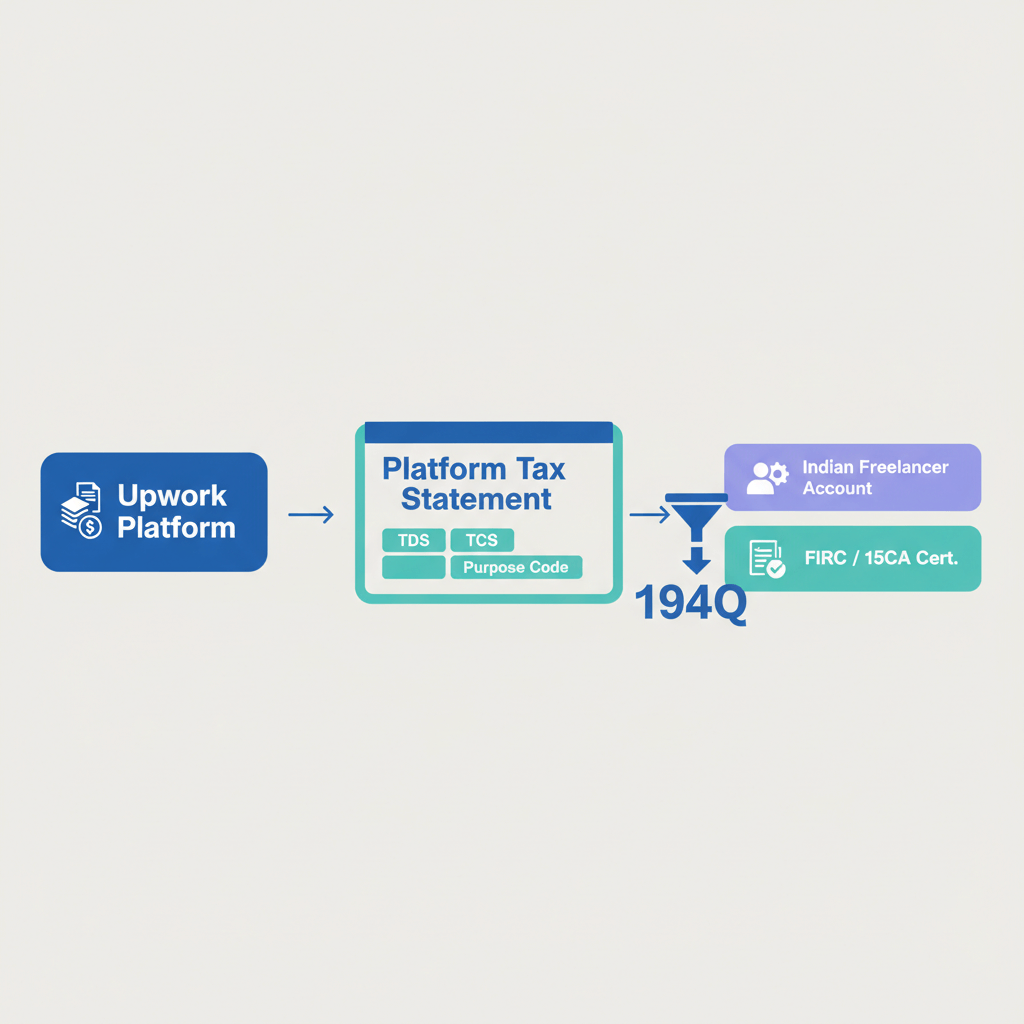
Platform tax statements: The Upwork docs Indian freelancers actually need

Content
share on
Contents
Share On

Key takeaways

  • Indian freelancers do not get a 1099 from Upwork, your core proof is W-8BEN confirmation, Certificate of Earnings, Transaction History CSV, invoices, and payout receipts.
  • For FEMA and GST, collect e-FIRA or FIRC for every remittance, and issue zero rated GST invoices if registered under LUT.
  • Most freelancers have zero US withholding with a valid W-8BEN, if Indian TDS is deducted by Upwork you will receive Form 16A and can claim credit in your ITR.
  • Reconcile Upwork payouts to Indian bank credits, document your FX conversion method consistently, typically the SBI TT buying rate on receipt date.
  • Download the Certificate of Earnings PDF for the FY and the full Transaction History CSV, these two files power your ITR filing and audit trail.
  • Use a simple annual routine, keep invoices, fee statements, e-FIRA or FIRC, and bank statements neatly organized, share the set with your CA.

Quick answer: Exactly what to download and why

Upwork tax forms: Submit and keep your W-8BEN current, save the on screen confirmation or a PDF screenshot from Account Settings, then Tax Information. This confirms non US status and explains 0% US withholding. You will not receive a 1099. You will receive Form 1042 S only if US tax was actually withheld, which is rare.

Annual statement: Download the Certificate of Earnings PDF for 1 April to 31 March and export the full year Transaction History CSV with earnings, fees, payouts, and refunds. Together they show gross, net, and the link to bank credits.

Invoices and receipts: Keep client or milestone invoices from Upwork as sales proof, keep Upwork fee invoices as deductible expenses, and keep payout confirmations plus matching bank credits as receipts.

Withholding proof: W-8BEN confirmation plus statements showing 0% US tax, Form 1042 S only if US tax was withheld, and Indian Form 16A if Upwork deducted TDS at 0.1% with PAN or 5% without PAN.

Non Upwork essentials: e-FIRA or FIRC for every remittance, Indian bank statements, PAN, Aadhaar, and your GST invoices if registered.

Disclaimer: Educational content only, not tax advice. Consult a qualified Chartered Accountant for guidance tailored to your situation.

What tax documents do Indian freelancers actually need?

Your Upwork earnings are taxable in India under Income from Business or Profession. You will typically file ITR 3 with books of account, or ITR 4 under presumptive taxation Section 44ADA. For a plain English overview of reporting rules, see this practical TaxBuddy guide on reporting foreign freelance income.

You need three bundles of evidence that tell one consistent story.

  • Income reporting: Certificate of Earnings PDF for topline, Transaction History CSV for line level details, and Upwork fee invoices as business expenses.
  • FEMA and GST: collect e-FIRA or FIRC for each payout, issue zero rated GST invoices if registered under LUT, or opt for IGST refund route.
  • Audit readiness: keep a clear chain from invoice to payout receipt to bank credit. If tax was withheld, keep W-8BEN or Form 1042 S and Indian Form 16A.

Convert USD to INR consistently, document your method, and apply it uniformly across the year, many CAs prefer the SBI TT buying rate on the receipt date, consistency matters more than perfection.

Upwork tax forms: What exists and what does not

The single must have form is W-8BEN on Upwork, it certifies non US status and ensures 0% US withholding. Review steps and rules here, Upwork tax information for freelancers.

  • You will NOT receive 1099: that is only for US persons.
  • You receive 1042 S only if US tax was withheld: uncommon with a valid W-8BEN.
  • In India, Upwork TDS: Upwork may deduct TDS and issue Form 16A quarterly, rate is typically 0.1% when PAN is furnished, 5% without PAN, see how TDS works on Upwork for India.

Best practice, keep a PDF or screenshot of your W-8BEN confirmation from Account Settings, then Tax Information.

Annual statement: Getting your Upwork earnings

For the Financial Year, 1 April to 31 March, download two files.

  • Certificate of Earnings PDF: Reports, then Certificate of Earnings, set FY date range, download. This is your clean topline statement.
  • Transaction History CSV: Reports, then Transaction History, filter to the FY and include earnings, fees, payouts, refunds, export CSV.

Use the PDF as a summary, use the CSV to reconcile gross to net, fees, timing of payouts, and to tie USD to INR on bank credits. Upwork’s official guide is a handy reference, tax information for freelancers.

Invoice vs receipt: What matters for Indian taxes

Invoice is your bill to the client, Upwork auto generates client or milestone invoices, and separately issues fee invoices to you. Receipt proves you were paid, that is your payout confirmation and the matching bank credit entry in India.

  • Keep client and milestone invoices as sales proof.
  • Keep Upwork fee invoices as deductible expense proof.
  • Keep payout confirmations and bank statements as receipts.

If registered under GST, issue your own GST tax invoice for export of services, zero rated under LUT, and pair it with e-FIRA or FIRC and the bank credit.

Withholding proof: When you have it and when you do not

Typical case: W-8BEN is valid, so no US withholding. Your proof is the W-8BEN confirmation plus statements with no US tax line items.

Edge cases: If US tax was withheld, you receive 1042 S and can claim foreign tax credit in India. If Upwork deducted Indian TDS, you will receive Form 16A and can claim the credit in your ITR, details here, Upwork India TDS.

Zero withholding documentation: show W-8BEN, annual statements, and payout records that reconcile gross to net minus only fees.

Reconciling to Indian filings: Income Tax and GST simple workflow

Income Tax filing:

  • Choose between ITR 3 with books or ITR 4 under Section 44ADA, your CA will advise.
  • Convert USD to INR consistently, document your method, and stick to it for the entire year.
  • Deduct legitimate expenses, Upwork fees, software, internet, co working, professional training, and more.

GST compliance if registered:

FEMA compliance: collect e-FIRA or FIRC for each inward remittance, and keep your bank statements clean and labeled. For a broader India specific explainer, see this TaxBuddy article on foreign freelance income.

Step-by-step checklist: Your annual routine

  1. Open Upwork, Account Settings, then Tax Information, confirm W-8BEN is current, save a PDF or screenshot.
  2. Go to Reports, Certificate of Earnings, set 1 April to 31 March, download the PDF.
  3. Go to Reports, Transaction History, set same dates, include earnings, fees, payouts, refunds, export CSV.
  4. Download Upwork fee invoices or statements from Reports or Billing.
  5. Save client or milestone invoices from contract pages or Reports.
  6. Match every payout receipt to the bank credit in India, investigate any difference.
  7. Collect e-FIRA or FIRC for each remittance from your bank or payment provider.
  8. Organize by FY, then month, keep a reconciliation sheet mapping gross, fees, net, INR credit, and e-FIRA reference.
  9. File any Form 16A you received from Upwork for Indian TDS with the set.
  10. Share the package with your CA along with your FX conversion method note.

Common mistakes and quick fixes

  • Only using dashboard totals: download the Certificate of Earnings and the CSV, dashboards can hide refunds and chargebacks.
  • Forgetting Upwork fee invoices: export them, fees are valid deductions and materially reduce taxable profit.
  • Not reconciling payouts to bank credits: amounts must match after FX, timing can differ by days.
  • Mixing invoices with receipts: invoices prove billing, receipts and bank entries prove payment, keep both.
  • Inconsistent FX rates: pick one policy, for example SBI TT buying rate on receipt date, and apply consistently.

Tools to simplify Upwork payments and compliance

Purpose built tools can reduce admin and compliance headaches so you can focus on client work.

  • Karbon Business: virtual business accounts in USD, GBP, EUR, CAD, fast INR settlement, automatic e-FIRA within 24 hours, mid market FX with flat platform fee, and the option to hold currency for up to 60 days.
  • Wise Business: multi currency accounts and transparent fees.
  • Payoneer: popular with Upwork freelancers for global receiving accounts.
  • PayPal: ubiquitous, though often higher fees, still valued for reach and buyer protection.
  • Razorpay X International: Indian friendly cross border solutions.

Choose based on your priorities, speed to INR, automated compliance docs, FX control, and how easily you can reconcile to your books.

Bringing it all together

Collect the right files once a year, keep your W-8BEN current, download the Certificate of Earnings and the Transaction History CSV, store invoices, fee statements, payout receipts, e-FIRA or FIRC, and bank statements, then reconcile cleanly to your ITR and GST returns.

Good records protect you in audits, help you claim every legitimate deduction, and let you price and plan with confidence. Set a reminder each April, spend two focused hours, and hand your CA a complete, organized package.

For official references, see Upwork’s tax information for freelancers and this India specific TaxBuddy explainer on foreign freelance income. Rules evolve, review annually and consult a CA who understands freelancers and cross border income.

FAQ

Upwork income from US clients is taxable in India or not?

Yes, if you are an Indian tax resident your global income is taxable in India, Upwork income from any client location must be reported in your ITR, typically under business or profession.

Which ITR should freelancers on Upwork file, ITR 3 or ITR 4 under 44ADA?

If you maintain books and want to claim actual expenses, ITR 3 fits, if you prefer presumptive taxation under Section 44ADA, you can file ITR 4 and declare 50% of gross receipts as income, your CA can compare outcomes and suggest the better route.

How do I download Certificate of Earnings and Transaction History from Upwork step by step?

Go to Reports, open Certificate of Earnings, set your FY range 1 April to 31 March, download the PDF, then go to Reports, Transaction History, set the same dates, include earnings, fees, payouts, refunds, and export CSV for reconciliation.

Is W-8BEN enough as US tax proof, and why am I not getting 1099 from Upwork?

W-8BEN certifies you are a non US person, so Upwork does not issue 1099 to you, if W-8BEN is valid you usually have 0% US withholding, you would only get Form 1042 S if US tax was actually withheld.

How to claim TDS deducted by Upwork in India, where does Form 16A come in?

Upwork may deduct TDS and issue Form 16A quarterly, when filing your ITR, add this TDS under taxes already paid to claim credit against your final tax due, keep Form 16A PDFs in your records.

Do I really need e-FIRA or FIRC for each Upwork payout to India?

Yes, for FEMA and for GST export documentation, collect e-FIRA or FIRC for every inward remittance, if you use Karbon Business, e-FIRA is auto generated within about 24 hours which simplifies audits and GST LUT compliance.

What is the correct USD to INR conversion rate for reporting, and how to stay consistent?

Many CAs prefer the SBI TT buying rate on the date of credit to your Indian bank, whichever method you choose, document it and apply the same method all year, consistency is key during assessment.

Can I deduct Upwork service fees and FX charges as business expenses?

Yes, Upwork service fees and reasonable FX or transfer charges are allowable business expenses, download your Upwork fee invoices, and keep statements from your bank or payment platform for FX charges, this reduces taxable profit under ITR 3, under 44ADA you still declare 50% but should keep proofs.

How to reconcile Upwork payouts with my Indian bank statement without confusion?

Use the Transaction History CSV to list each payout, match amounts and dates with your bank credits after FX, attach the relevant e-FIRA or FIRC and note the INR received, a simple spreadsheet with columns for gross, fee, net, INR, and e-FIRA reference works well.

If a refund or chargeback happens on Upwork, how do I show it in taxes?

Refunds or chargebacks shown in the CSV reduce your gross receipts, if they occur in the same FY, net them off, if they occur in the next FY, treat as a business loss or reversal in that year’s books and keep the Upwork reference for the auditor.

As a small freelancer do I need to register for GST to work with foreign clients on Upwork?

GST registration depends on your aggregate turnover and specific rules, many freelancers register to claim input credits and to issue zero rated export invoices under LUT, discuss threshold and pros and cons with your CA, platforms like Karbon Business make it easier to attach e-FIRA for every export invoice.

Which international payment method is best for lower fees and faster INR settlement?

It depends on your priorities, speed, FX, and documentation, for example, Karbon Business offers mid market FX with a flat platform fee and INR settlement within 24 to 48 hours plus automatic e-FIRA, Wise and Payoneer provide multi currency accounts with transparent fees, compare total cost, speed, and compliance docs before choosing.

How do I prove no US tax was deducted on my Upwork income during assessment?

Keep your W-8BEN confirmation, show your Transaction History with no US tax line items, and present the Certificate of Earnings, this combination typically satisfies queries on zero US withholding.

Can I hold USD for a while before converting to INR to manage forex risk?

Yes, if your provider supports it and within regulatory limits, for example, Karbon Business allows holding foreign currency balances for up to 60 days which helps time your conversion, just ensure final credits into India have matching e-FIRA or FIRC for compliance.

What documents should I finally hand over to my CA for a clean ITR filing?

Provide W-8BEN confirmation, Certificate of Earnings PDF, Transaction History CSV, all client invoices and Upwork fee invoices, payout confirmations, bank statements, e-FIRA or FIRC for each remittance, and any Form 16A for TDS, also share a one page note on your FX conversion method for the year.

Key takeaways

  • Indian freelancers do not get a 1099 from Upwork, your core proof is W-8BEN confirmation, Certificate of Earnings, Transaction History CSV, invoices, and payout receipts.
  • For FEMA and GST, collect e-FIRA or FIRC for every remittance, and issue zero rated GST invoices if registered under LUT.
  • Most freelancers have zero US withholding with a valid W-8BEN, if Indian TDS is deducted by Upwork you will receive Form 16A and can claim credit in your ITR.
  • Reconcile Upwork payouts to Indian bank credits, document your FX conversion method consistently, typically the SBI TT buying rate on receipt date.
  • Download the Certificate of Earnings PDF for the FY and the full Transaction History CSV, these two files power your ITR filing and audit trail.
  • Use a simple annual routine, keep invoices, fee statements, e-FIRA or FIRC, and bank statements neatly organized, share the set with your CA.

Quick answer: Exactly what to download and why

Upwork tax forms: Submit and keep your W-8BEN current, save the on screen confirmation or a PDF screenshot from Account Settings, then Tax Information. This confirms non US status and explains 0% US withholding. You will not receive a 1099. You will receive Form 1042 S only if US tax was actually withheld, which is rare.

Annual statement: Download the Certificate of Earnings PDF for 1 April to 31 March and export the full year Transaction History CSV with earnings, fees, payouts, and refunds. Together they show gross, net, and the link to bank credits.

Invoices and receipts: Keep client or milestone invoices from Upwork as sales proof, keep Upwork fee invoices as deductible expenses, and keep payout confirmations plus matching bank credits as receipts.

Withholding proof: W-8BEN confirmation plus statements showing 0% US tax, Form 1042 S only if US tax was withheld, and Indian Form 16A if Upwork deducted TDS at 0.1% with PAN or 5% without PAN.

Non Upwork essentials: e-FIRA or FIRC for every remittance, Indian bank statements, PAN, Aadhaar, and your GST invoices if registered.

Disclaimer: Educational content only, not tax advice. Consult a qualified Chartered Accountant for guidance tailored to your situation.

What tax documents do Indian freelancers actually need?

Your Upwork earnings are taxable in India under Income from Business or Profession. You will typically file ITR 3 with books of account, or ITR 4 under presumptive taxation Section 44ADA. For a plain English overview of reporting rules, see this practical TaxBuddy guide on reporting foreign freelance income.

You need three bundles of evidence that tell one consistent story.

  • Income reporting: Certificate of Earnings PDF for topline, Transaction History CSV for line level details, and Upwork fee invoices as business expenses.
  • FEMA and GST: collect e-FIRA or FIRC for each payout, issue zero rated GST invoices if registered under LUT, or opt for IGST refund route.
  • Audit readiness: keep a clear chain from invoice to payout receipt to bank credit. If tax was withheld, keep W-8BEN or Form 1042 S and Indian Form 16A.

Convert USD to INR consistently, document your method, and apply it uniformly across the year, many CAs prefer the SBI TT buying rate on the receipt date, consistency matters more than perfection.

Upwork tax forms: What exists and what does not

The single must have form is W-8BEN on Upwork, it certifies non US status and ensures 0% US withholding. Review steps and rules here, Upwork tax information for freelancers.

  • You will NOT receive 1099: that is only for US persons.
  • You receive 1042 S only if US tax was withheld: uncommon with a valid W-8BEN.
  • In India, Upwork TDS: Upwork may deduct TDS and issue Form 16A quarterly, rate is typically 0.1% when PAN is furnished, 5% without PAN, see how TDS works on Upwork for India.

Best practice, keep a PDF or screenshot of your W-8BEN confirmation from Account Settings, then Tax Information.

Annual statement: Getting your Upwork earnings

For the Financial Year, 1 April to 31 March, download two files.

  • Certificate of Earnings PDF: Reports, then Certificate of Earnings, set FY date range, download. This is your clean topline statement.
  • Transaction History CSV: Reports, then Transaction History, filter to the FY and include earnings, fees, payouts, refunds, export CSV.

Use the PDF as a summary, use the CSV to reconcile gross to net, fees, timing of payouts, and to tie USD to INR on bank credits. Upwork’s official guide is a handy reference, tax information for freelancers.

Invoice vs receipt: What matters for Indian taxes

Invoice is your bill to the client, Upwork auto generates client or milestone invoices, and separately issues fee invoices to you. Receipt proves you were paid, that is your payout confirmation and the matching bank credit entry in India.

  • Keep client and milestone invoices as sales proof.
  • Keep Upwork fee invoices as deductible expense proof.
  • Keep payout confirmations and bank statements as receipts.

If registered under GST, issue your own GST tax invoice for export of services, zero rated under LUT, and pair it with e-FIRA or FIRC and the bank credit.

Withholding proof: When you have it and when you do not

Typical case: W-8BEN is valid, so no US withholding. Your proof is the W-8BEN confirmation plus statements with no US tax line items.

Edge cases: If US tax was withheld, you receive 1042 S and can claim foreign tax credit in India. If Upwork deducted Indian TDS, you will receive Form 16A and can claim the credit in your ITR, details here, Upwork India TDS.

Zero withholding documentation: show W-8BEN, annual statements, and payout records that reconcile gross to net minus only fees.

Reconciling to Indian filings: Income Tax and GST simple workflow

Income Tax filing:

  • Choose between ITR 3 with books or ITR 4 under Section 44ADA, your CA will advise.
  • Convert USD to INR consistently, document your method, and stick to it for the entire year.
  • Deduct legitimate expenses, Upwork fees, software, internet, co working, professional training, and more.

GST compliance if registered:

FEMA compliance: collect e-FIRA or FIRC for each inward remittance, and keep your bank statements clean and labeled. For a broader India specific explainer, see this TaxBuddy article on foreign freelance income.

Step-by-step checklist: Your annual routine

  1. Open Upwork, Account Settings, then Tax Information, confirm W-8BEN is current, save a PDF or screenshot.
  2. Go to Reports, Certificate of Earnings, set 1 April to 31 March, download the PDF.
  3. Go to Reports, Transaction History, set same dates, include earnings, fees, payouts, refunds, export CSV.
  4. Download Upwork fee invoices or statements from Reports or Billing.
  5. Save client or milestone invoices from contract pages or Reports.
  6. Match every payout receipt to the bank credit in India, investigate any difference.
  7. Collect e-FIRA or FIRC for each remittance from your bank or payment provider.
  8. Organize by FY, then month, keep a reconciliation sheet mapping gross, fees, net, INR credit, and e-FIRA reference.
  9. File any Form 16A you received from Upwork for Indian TDS with the set.
  10. Share the package with your CA along with your FX conversion method note.

Common mistakes and quick fixes

  • Only using dashboard totals: download the Certificate of Earnings and the CSV, dashboards can hide refunds and chargebacks.
  • Forgetting Upwork fee invoices: export them, fees are valid deductions and materially reduce taxable profit.
  • Not reconciling payouts to bank credits: amounts must match after FX, timing can differ by days.
  • Mixing invoices with receipts: invoices prove billing, receipts and bank entries prove payment, keep both.
  • Inconsistent FX rates: pick one policy, for example SBI TT buying rate on receipt date, and apply consistently.

Tools to simplify Upwork payments and compliance

Purpose built tools can reduce admin and compliance headaches so you can focus on client work.

  • Karbon Business: virtual business accounts in USD, GBP, EUR, CAD, fast INR settlement, automatic e-FIRA within 24 hours, mid market FX with flat platform fee, and the option to hold currency for up to 60 days.
  • Wise Business: multi currency accounts and transparent fees.
  • Payoneer: popular with Upwork freelancers for global receiving accounts.
  • PayPal: ubiquitous, though often higher fees, still valued for reach and buyer protection.
  • Razorpay X International: Indian friendly cross border solutions.

Choose based on your priorities, speed to INR, automated compliance docs, FX control, and how easily you can reconcile to your books.

Bringing it all together

Collect the right files once a year, keep your W-8BEN current, download the Certificate of Earnings and the Transaction History CSV, store invoices, fee statements, payout receipts, e-FIRA or FIRC, and bank statements, then reconcile cleanly to your ITR and GST returns.

Good records protect you in audits, help you claim every legitimate deduction, and let you price and plan with confidence. Set a reminder each April, spend two focused hours, and hand your CA a complete, organized package.

For official references, see Upwork’s tax information for freelancers and this India specific TaxBuddy explainer on foreign freelance income. Rules evolve, review annually and consult a CA who understands freelancers and cross border income.

FAQ

Upwork income from US clients is taxable in India or not?

Yes, if you are an Indian tax resident your global income is taxable in India, Upwork income from any client location must be reported in your ITR, typically under business or profession.

Which ITR should freelancers on Upwork file, ITR 3 or ITR 4 under 44ADA?

If you maintain books and want to claim actual expenses, ITR 3 fits, if you prefer presumptive taxation under Section 44ADA, you can file ITR 4 and declare 50% of gross receipts as income, your CA can compare outcomes and suggest the better route.

How do I download Certificate of Earnings and Transaction History from Upwork step by step?

Go to Reports, open Certificate of Earnings, set your FY range 1 April to 31 March, download the PDF, then go to Reports, Transaction History, set the same dates, include earnings, fees, payouts, refunds, and export CSV for reconciliation.

Is W-8BEN enough as US tax proof, and why am I not getting 1099 from Upwork?

W-8BEN certifies you are a non US person, so Upwork does not issue 1099 to you, if W-8BEN is valid you usually have 0% US withholding, you would only get Form 1042 S if US tax was actually withheld.

How to claim TDS deducted by Upwork in India, where does Form 16A come in?

Upwork may deduct TDS and issue Form 16A quarterly, when filing your ITR, add this TDS under taxes already paid to claim credit against your final tax due, keep Form 16A PDFs in your records.

Do I really need e-FIRA or FIRC for each Upwork payout to India?

Yes, for FEMA and for GST export documentation, collect e-FIRA or FIRC for every inward remittance, if you use Karbon Business, e-FIRA is auto generated within about 24 hours which simplifies audits and GST LUT compliance.

What is the correct USD to INR conversion rate for reporting, and how to stay consistent?

Many CAs prefer the SBI TT buying rate on the date of credit to your Indian bank, whichever method you choose, document it and apply the same method all year, consistency is key during assessment.

Can I deduct Upwork service fees and FX charges as business expenses?

Yes, Upwork service fees and reasonable FX or transfer charges are allowable business expenses, download your Upwork fee invoices, and keep statements from your bank or payment platform for FX charges, this reduces taxable profit under ITR 3, under 44ADA you still declare 50% but should keep proofs.

How to reconcile Upwork payouts with my Indian bank statement without confusion?

Use the Transaction History CSV to list each payout, match amounts and dates with your bank credits after FX, attach the relevant e-FIRA or FIRC and note the INR received, a simple spreadsheet with columns for gross, fee, net, INR, and e-FIRA reference works well.

If a refund or chargeback happens on Upwork, how do I show it in taxes?

Refunds or chargebacks shown in the CSV reduce your gross receipts, if they occur in the same FY, net them off, if they occur in the next FY, treat as a business loss or reversal in that year’s books and keep the Upwork reference for the auditor.

As a small freelancer do I need to register for GST to work with foreign clients on Upwork?

GST registration depends on your aggregate turnover and specific rules, many freelancers register to claim input credits and to issue zero rated export invoices under LUT, discuss threshold and pros and cons with your CA, platforms like Karbon Business make it easier to attach e-FIRA for every export invoice.

Which international payment method is best for lower fees and faster INR settlement?

It depends on your priorities, speed, FX, and documentation, for example, Karbon Business offers mid market FX with a flat platform fee and INR settlement within 24 to 48 hours plus automatic e-FIRA, Wise and Payoneer provide multi currency accounts with transparent fees, compare total cost, speed, and compliance docs before choosing.

How do I prove no US tax was deducted on my Upwork income during assessment?

Keep your W-8BEN confirmation, show your Transaction History with no US tax line items, and present the Certificate of Earnings, this combination typically satisfies queries on zero US withholding.

Can I hold USD for a while before converting to INR to manage forex risk?

Yes, if your provider supports it and within regulatory limits, for example, Karbon Business allows holding foreign currency balances for up to 60 days which helps time your conversion, just ensure final credits into India have matching e-FIRA or FIRC for compliance.

What documents should I finally hand over to my CA for a clean ITR filing?

Provide W-8BEN confirmation, Certificate of Earnings PDF, Transaction History CSV, all client invoices and Upwork fee invoices, payout confirmations, bank statements, e-FIRA or FIRC for each remittance, and any Form 16A for TDS, also share a one page note on your FX conversion method for the year.

The views expressed in the blogs on this page are solely the opinions of the authors and do not constitute expert advice. While we strive to provide accurate and up-to-date information, we make no representations or warranties of any kind, express or implied, about the completeness, accuracy, reliability, suitability or availability with respect to the website or the information, products, services, or related graphics contained on the website for any purpose. Any reliance you place on such information is therefore strictly at your own risk. We disclaim any liability for any loss or damage including without limitation, indirect or consequential loss or damage, or any loss or damage whatsoever arising from loss of data or profits arising out of, or in connection with, the use of this website.

Find out how we can help you today!

Speak to our foreign payment specialist
Whatsapp-color Created with Sketch.
Whatsapp:
+91 74117 02726
Email:
sales@karboncard.com
Address:
Ground Floor, Karbon Business, 1st Stage Rd, Binnamangala, Hoysala Nagar, Indiranagar, Bengaluru, Karnataka 560038

Find out how we can help you today!

Speak to our foreign payment specialist
Whatsapp-color Created with Sketch.
Whatsapp:
+91 74117 02726
Email:
sales@karboncard.com
Address:
Ground Floor, Karbon Business, 1st Stage Rd, Binnamangala, Hoysala Nagar, Indiranagar, Bengaluru, Karnataka 560038

Latest from our blogs

Latest from our blogs

View All
× Save 50% - Start Now