

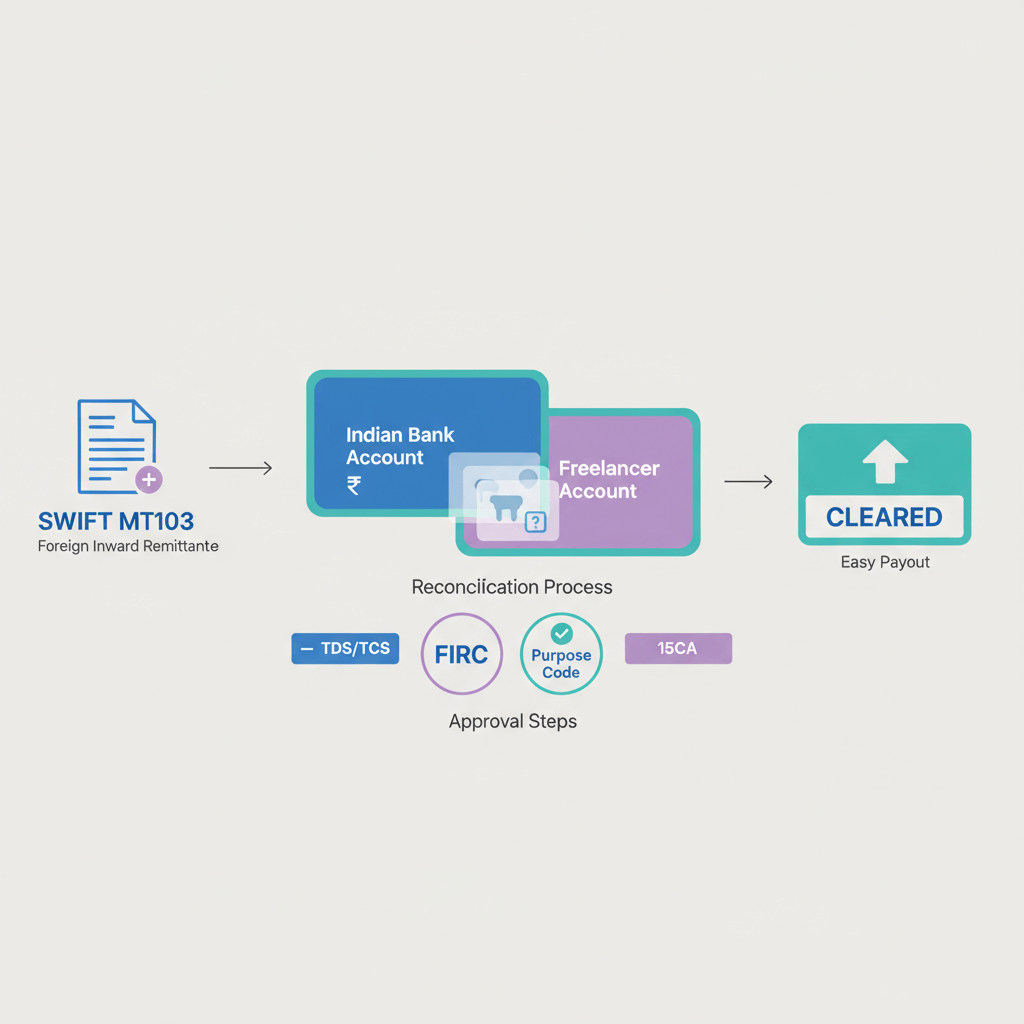


Key takeaways
- Match incoming credits to SWIFT using the UETR first, then fall back to a combination of :20 sender reference, :32A value date and amount, sender name, and any :70 invoice narrative.
- Use :33B for the original ordered amount, :32A for the interbank settled amount, and :71A for charge codes, this trio explains why your INR credit is lower than the invoice.
- Always generate and file the e-FIRA with the MT103, invoice, and a statement screenshot, this single bundle keeps taxes and audits simple.
- Document your bank’s FX rate and spread, note intermediary and receiving fees, then price future projects with real world net receipts in mind.
- Adopt a two minute checklist, reconcile within 24 to 48 hours, and consider platforms like Karbon Business to automate UETR, e-FIRA, and reference matching.
Why Reconciliation Matters for Indian Freelancers
If you have ever stared at your statement wondering which wire matched which invoice, you are not alone. For Indian freelancers, reconciling SWIFT MT103 messages with bank credits keeps cash predictable, compliance clean, and client conversations short.
Tax and e-FIRA compliance. Each foreign remittance must tie back to an invoice, the e-FIRA is your proof. Without clear matching, you risk misreporting or missing an e-FIRA.
Cash flow forecasting. You quote USD 5,000, you expect a certain INR, you receive less. Reconciliation reveals fees, intermediary deductions, and FX spread so you can plan better.
Client disputes. When a client says they paid in full, the MT103, along with charges and references, settles the back and forth quickly.
Once you know the pattern, reconciliation becomes fast and mechanical, a two minute habit that protects your business.
Quick Primer: What is an MT103?
An MT103 is the standardized SWIFT message for a single customer credit transfer, think of it as your receipt for a specific payment from the client’s bank to yours.
- Shows who sent the money, the original and settled amounts, the route taken, charges, and notes.
- Generated when the sender’s bank executes the transfer, your statement reflects funds on the value date.
- You may receive it from your client, your bank, or your payment platform dashboard.
UETR Explained: Your Best Friend in Reconciliation
UETR is the Unique End to End Transaction Reference, a global UUID that tracks your payment across the SWIFT chain, like a courier tracking number for money.
- If your statement shows the UETR, you have an instant, unambiguous match.
- Do not confuse UETR with UTR, UTR is for domestic NEFT, RTGS, and IMPS, UETR is for SWIFT.
- Indian banks surface UETR inconsistently, check statement narratives and downloadable details.
MT103 Reference Fields You Must Know
Focus on these tags, they map directly to what you see on statements and solve most mysteries:
- :20 Transaction Reference Number, the sender’s unique ID, often appears in narration or reference columns.
- UETR, the global tracking UUID, primary matching key when visible.
- :32A Value Date, Currency, Settled Amount, the official date and amount that moved between banks.
- :33B Original Ordered Amount, the gross figure your client instructed, use this to align with your invoice.
- :50A/:50F/:50K Ordering Customer, your client’s details, often truncated on statements.
- :59 Beneficiary, your details, a simple sanity check.
- :57A Account With Institution, receiving or intermediary bank, useful context.
- :70 Remittance Information, invoice numbers and notes, a powerful business level clue.
- :71A Details of Charges, OUR, SHA, or BEN, explains net differences.
- :71F/:71G Charges, fee breakdowns when provided.
- :23B Bank Operation Code, usually CRED, confirms transaction nature.
- :72 Sender to Receiver, extra instructions, helpful context when available.
MT103 to Bank Statement Mapping
- UETR → statement UETR or SWIFT Ref, search the exact UUID.
- :20 → Customer Ref or narrative, use as fallback when UETR is absent.
- :32A date → statement posting or value date, allow a ±2 day window.
- :32A amount → exact credit in a foreign currency account, or INR credit after conversion in an INR account.
- :33B → invoice gross, compare with :32A to infer upstream fees.
- :50 → remitter or sender name, match even if truncated.
- :71A → charge terms, predict deductions and net result.
- :70 → description or narration, look for invoice numbers or project codes.
- :57A → routing context, useful when extra deductions appear.
Combine clues, for example UETR plus date plus amount, or :20 plus client name plus invoice reference, to create a unique fingerprint.
Step by Step: How to Reconcile SWIFT MT103 with Bank Statement
- Collect artifacts. MT103, invoice, statement or platform history, and your accounting entry.
- Anchor on UETR. Search your statement or portal using the UETR, then verify date and amount.
- Fallback if no UETR. Use :32A date, approximate INR conversion of the amount, :20 reference, :50 sender name, and :70 narrative.
- Adjust for charges. Compare :33B with :32A, note :71A, and account for receiving bank fees.
- Account for FX. Document the actual bank rate versus mid market, the spread is a real cost.
- Confirm and label. Tag the entry with invoice and client, store MT103 and e-FIRA together.
- Update books. Record payment, split out bank charges and FX difference, attach proofs.
Fees, FX, and Charge Scenarios Explained
OUR. Sender pays all charges, you should receive the full invoice amount before FX, small gaps can still occur if an intermediary takes an unexpected fee.
SHA. Shared charges, the most common case, expect intermediary deductions in transit and a receiving bank fee on your side.
BEN. Beneficiary pays all charges, rare for freelancers, but if used, expect a noticeable deduction at credit.
- Intermediary fees. Often USD 10 to USD 30, reflected as the gap between :33B and :32A.
- Bank FX spread. The difference between mid market and your bank’s credit rate, typically 0.5% to 2%, document this for pricing.
- Rounding and timing. Small rupee variances from posting date and rounding are normal.
- Splits and recalls. Multiple MT103s or a recall complicate matching, use UETR to trace status quickly.
Example Walkthrough: Putting It All Together
Scenario 1, SHA charge, USD invoice, UETR visible.
- Invoice: USD 2,000, INV-456.
- MT103: UETR 1a2b3c4d-5e6f-7g8h-9i0j-k1l2m3n4o5p6, :20 ABC123456, :32A 231015USD1980.00, :33B USD2000.00, :50K CLIENT INC, :70 Payment for Invoice INV-456, :71A SHA.
- Statement: UETR present, same reference, next day credit, INR 1,65,340, inward fee ₹200.
- Reconciliation: USD 20 intermediary gap, implied FX about 83.50, bank fee ₹200, narrative includes INV-456, fully matched.
Scenario 2, no UETR on statement, rely on date, amount, narrative.
- Invoice: GBP 1,500, INV-789.
- MT103: :20 XYZ987654, :32A 231022GBP1485.00, :33B GBP1500.00, :50K UK CLIENT LTD, :70 Invoice INV-789, :71A SHA.
- Statement: next day credit, narration shows XYZ987654, UK CLIENT LTD, INV-789, INR 1,54,305.
- Reconciliation: GBP 15 intermediary gap, implied FX about 103.94, triple narrative match, high confidence.
Best Practices to Make Reconciliation Effortless
- Tell clients to quote your invoice number in the payment reference, it flows into :70 and your statement narrative.
- Request OUR for larger invoices, you receive the full amount before FX, matching is cleaner.
- Use a per payment checklist, consistency prevents misses and speeds audits.
- Log your bank’s quirks, note where UETR appears, when FX is applied, and typical fees.
- Bundle documents, invoice, MT103, e-FIRA, and a statement screenshot in one folder.
- Reconcile promptly, within 24 to 48 hours, it takes minutes when details are fresh.
- Use platforms that auto reconcile, Karbon Business shows UETR, sender, invoice references, and links e-FIRA automatically.
How Karbon Business Simplifies SWIFT Reconciliation
Karbon Business is built for Indian freelancers receiving international payments. With virtual USD, GBP, EUR, and CAD accounts, clients can pay via local rails, you get clearer references and lower fees, and when SWIFT is used, the dashboard surfaces UETR, sender details, and fee breakdowns.
e-FIRA is auto generated within 24 hours and linked to the transaction, pricing is transparent with a flat platform fee and zero FX markup on mid market, so INR outcomes are predictable, reconciliation is almost automatic.
If numbers do not line up, Karbon support can pull the SWIFT trace against the UETR and walk you through the hops, saving you time and stress.
Troubleshooting Common Reconciliation Problems
The MT103 amount is different from my bank credit, what should I check?
First compare :33B with :32A to isolate intermediary or sender side fees, then compare :32A with your INR credit to account for FX and any receiving fee, if a gap remains, request a SWIFT trace using the UETR.
I cannot find the UETR on my statement, how do I match?
Use a multi clue approach, filter by :32A date window, estimate INR from the foreign amount, search narration for the :20 reference, sender name from :50, and any invoice text from :70, together these create a unique match.
How long should I wait after the value date before escalating?
Allow one to three business days after the :32A value date, if no credit appears, contact your bank with the UETR or :20 and ask for a trace, weekends and holidays commonly introduce small delays.
Multiple client payments landed the same day, how do I distinguish them?
Every payment has a unique UETR and a unique :20 reference, match each pair to separate statement entries, also look for distinct invoice numbers in :70, if needed, order them chronologically by MT103 generation time.
The e-FIRA details look abbreviated, is that an issue?
Formatting differences are fine if the core data matches, amount, currency, date, remitter, and your details, if any core field is wrong, request a corrected e-FIRA referencing the MT103.
My client claims they sent the full amount, why did I receive less?
Check :71A charge code, with SHA or BEN, intermediary and receiving bank fees reduce your net, show the MT103 breakdown to the client, for future transfers ask for OUR or request a small top up to cover fees.
How do I capture fees and FX in my accounting?
Record the payment against the invoice, post receiving bank fees to bank charges expense, calculate the difference between mid market value and credited INR as a forex loss or gain, attach MT103 and e-FIRA as support.
What if the payment was split or recalled midway?
Ask for all MT103s related to the invoice, each has its own UETR, reconcile each to separate credits or a return entry, the UETR trace clarifies current status and any partial settlements.
Will using a platform help if my bank statement is too sparse?
Yes, platforms such as Karbon Business display UETR, sender, invoice references, and fee elements clearly, they also generate e-FIRA automatically, which reduces manual sleuthing and speeds reconciliation.
How can I avoid big FX spreads on INR credits?
Compare your bank’s TT buying rate with mid market on the value date, negotiate better rates for higher volumes, or use a platform like Karbon Business that converts at mid market with zero markup, improving predictability.
Downloadable Reconciliation Checklist
Copy this into your notes and run it for every payment.
- MT103 saved, UETR noted.
- :20 sender reference noted, :32A date and amount recorded, :33B matches invoice.
- Locate statement credit using UETR or reference plus date plus amount.
- Compute gross to net, fees and FX spread documented.
- e-FIRA received and linked to the transaction.
- Invoice marked paid, bank charges and FX difference posted.
- Invoice, MT103, e-FIRA, and statement screenshot filed together.
- Any discrepancies escalated with UETR trace if needed.
Final Thoughts: Reconciliation as a Competitive Advantage
Reconciliation may feel like back office work, yet it is an edge for a one person business. When you master UETR, reference mapping, fee logic, and FX documentation, you quote smarter, resolve disputes faster, and file taxes with confidence.
Make it a two minute habit, anchor on UETR, confirm date and amount, document fees and FX, and file everything together, future you will thank present you.
If you want fewer surprises and faster matches, explore tools designed for Indian freelancers that show UETR, link e-FIRA, and keep pricing transparent, the goal is simple, get paid fairly, stay compliant, and focus on great work.
Previous Blog Posts
- What is a SWIFT code in international remittance?
- International Incoming Wire Fees: Key Queries Answered
- Virtual Account Number: 2025 Must-Have for Local & Global Business
- EDPMS shipping bill charges for international business payments
- Trump Imposes 50% Tariff Hike: Indian Exporters Brace for $4-$5 billion Loss
- Failed payments in India: Fix Stuck International Transfers Fast
FAQ
How do I match an MT103 to my HDFC or ICICI statement if the UETR is not showing?
Use the fallback sequence, filter by the :32A value date with a two day window, estimate INR from the foreign amount, search the narration for the :20 sender reference, the :50 sender name, and any invoice number from :70, these combined cues uniquely identify the credit.
What is the difference between UTR and UETR for international payments to India?
UTR is a domestic reference for NEFT, RTGS, and IMPS inside India, UETR is a global SWIFT gpi reference for cross border wires, for reconciling foreign remittances, rely on UETR, not UTR, platforms like Karbon Business display UETR clearly in the dashboard.
How can I get my e-FIRA quickly after a SWIFT credit?
Most banks issue e-FIRA within one business day, if your bank is slow, raise a request with the MT103 attached, or use Karbon Business, which auto generates and links the e-FIRA to the transaction within about 24 hours.
Why did I receive less INR than my invoice value even though the client said they sent full?
Check :71A for charge terms, with SHA, intermediary banks may deduct in transit and your bank may charge an inward fee, beyond fees, your bank’s FX rate includes a spread, compare mid market to your credited rate to see the difference, Karbon Business uses mid market with zero markup for predictable INR.
Client is okay to cover fees, should I ask for OUR on every transfer?
For larger invoices, YES because OUR minimizes reconciliation friction and short payments, for smaller amounts, SHA is common, just factor typical deductions into your pricing, communicate clearly in your invoice notes.
How do I account for bank charges and FX differences in my books as a freelancer?
Record the receipt against the invoice, post the receiving fee to bank charges, compute FX difference between expected mid market and actual INR as forex loss or gain, attach MT103 and e-FIRA as backup, Karbon Business exports help you attach proofs in one go.
How long do SWIFT wires take to show on SBI, Axis, or Kotak statements, and when should I escalate?
Credits usually appear on or within one to three business days after the :32A value date, if nothing shows after three business days, contact your bank with the UETR or :20 and request a SWIFT trace, delays often relate to intermediary queues or compliance checks.
I received two MT103s for the same invoice, how to reconcile correctly?
Treat each MT103 separately, each has a unique UETR and :20, match them to distinct credits, if the total equals your invoice, tag both to the same invoice in your accounting and note the split in your records.
What is the cleanest way to ensure the invoice number appears on my bank statement for easy matching?
Ask clients to include the invoice number in the payment reference, it flows into :70 and often prints in the narration, Karbon Business also shows the client reference beside UETR, making matching trivial.
Can a platform really reduce FX losses and hidden charges for freelancers in India?
Yes, Karbon Business credits at mid market with zero markup and shows fees upfront, you see UETR, sender, and references clearly, and you receive the e-FIRA automatically, this transparency shortens reconciliation and improves net receipts.
My statement only shows a vague description, can the bank still find the matching SWIFT credit?
Yes, take the MT103 to your bank or email support, they can look up the incoming credit internally using the UETR or :20 even when the retail statement hides it, once found, ask them to share the internal reference for your files.
Do GST implications arise on platform fees when receiving international payments?
Platform fees you pay to a provider like Karbon Business are typically taxable services, record the fee, claim input tax credit as applicable, and keep invoices and statements attached to each payment’s reconciliation bundle for your CA.
