



Key takeaways
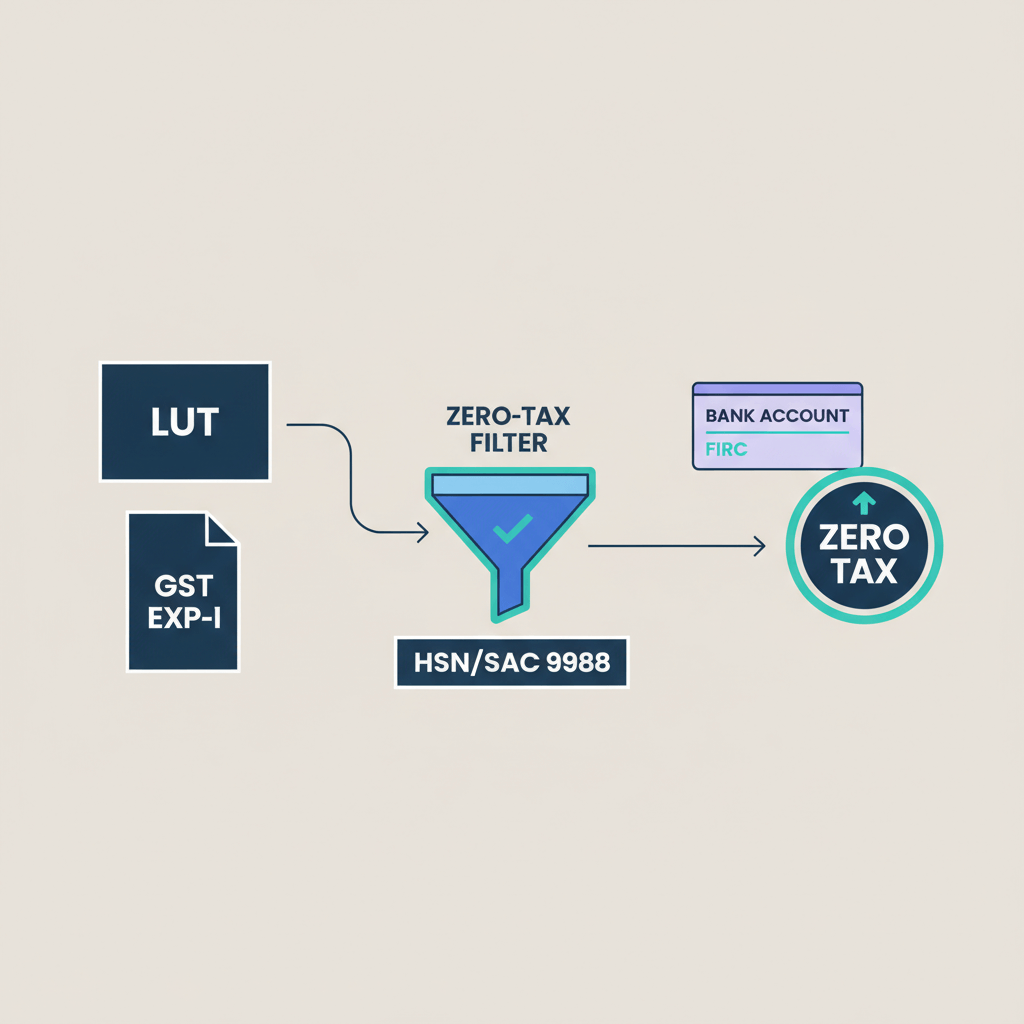
- File a Letter of Undertaking once every financial year to export services at 0% IGST, preserving working capital; see LUT vs IGST GST route for a practical comparison.
- LUT filing on the GST portal takes 10 to 15 minutes, use Aadhaar based EVC or a DSC for digital signing, both are equally valid.
- Invoices raised under LUT must mention your ARN and a zero rated supply statement; use this guide to Create compliant invoices for export in India.
- Payment must be realized in foreign exchange within 1 year from the invoice date, otherwise IGST plus interest becomes payable within 15 days after that period.
- Maintain a clean audit trail for six years, keep contracts, invoices, bank statements, and e-FIRA or FIRC for each inward remittance.
- For fast, compliant receipts with automatic e-FIRA, mid market FX, and quick INR settlement, Karbon Business fits Indian freelancers’ needs.
- If you accidentally select the wrong FY or face portal delays, refile for the correct year, then track ARN in View My Submissions, and continue invoicing at 0% IGST once the ARN appears.
- Confirm your export eligibility first, supplier in India, recipient outside India, place of supply outside India, payment in foreign exchange, distinct legal entities.
What is LUT and why service exporters need it
A Letter of Undertaking lets you export services without paying IGST upfront. You undertake to comply with payment realization timelines and export rules, in return you invoice international clients at 0% GST, which protects your cash flow.
Two practical routes to export services:
- LUT route: File LUT, invoice at 0% IGST, no upfront tax, faster cash flow; deep dive in LUT vs IGST GST route.
- IGST and refund route: Pay 18% IGST first, then claim refunds later, slower cash flow, more admin. Helpful primer from Skydo’s LUT guide.
Bottom line: Freelancers and small agencies almost always benefit from LUT because it avoids tying up cash in tax refunds.
Are your services really exports? A quick checklist
Your services qualify as exports only if all conditions are met.
- Supplier is in India, your place of business or residence is in India.
- Recipient is outside India, client’s business location is abroad.
- Place of supply is outside India, service is used or consumed by the client outside India.
- Payment is in foreign exchange, or through RBI permitted INR channels.
- Supplier and recipient are distinct legal entities.
Examples: content writing for an Australian agency paid in AUD, IT development for a UK startup paid in GBP, design for a Dubai business paid in AED, cloud consulting for a US SaaS paid in USD.
Documents to keep ready: contract or PO, export invoice, e-FIRA or FIRC, bank statement showing foreign currency received.
Who can file LUT? Eligibility and prerequisites
Any GST registered person exporting goods or services can file LUT, sole proprietors, freelancers, partnerships, LLPs, companies.
Disqualification: past prosecution for serious tax evasion above ₹250 lakh may force a bond with bank guarantee, not LUT. See Razorpay’s LUT under GST for context.
Before you start:
- Active GSTIN and GST portal login.
- Authorized signatory details and Aadhaar EVC or DSC.
- No pending prosecution issues requiring a bond.
Good news, the portal does not require document uploads for LUT. For a walkthrough, bookmark Winvesta’s GST portal guide and Skydo’s LUT guide.
Documents and information to keep handy
First filing for the year:
- GST Registration Certificate, PAN, IEC if applicable.
- Authorized signatory details, DSC token or Aadhaar linked mobile.
- Bank account details linked to your GSTIN.
For renewal: last year’s LUT ARN and acknowledgement can be handy, not mandatory. Reference: Winvesta’s GST portal guide.
Step by step: how to apply LUT for export of services online
Step 1: Log in to the GST portal
Go to the GST portal, log in with your GSTIN, email, or mobile, enter password, captcha, then LOGIN.
Step 2: Find the LUT option
Navigate to Services, User Services, Furnish Letter of Undertaking (LUT), open the LUT form.
Step 3: Select the correct financial year
Choose the current FY, for April 2026 select FY 2026 to 2027, LUT validity is for that selected year only.
Tip: File in early April to avoid invoice gaps.
Step 4: Accept the undertakings
Tick all three declarations, you confirm eligibility, zero rated supplies only, and compliance with realization timelines.
Step 5: Verify authorized signatory
Ensure name, designation, and address match your GST registration; update your GST profile first if anything is outdated.
Step 6: Choose EVC or DSC
- EVC: OTP to Aadhaar linked mobile, enter OTP, submit.
- DSC: use a valid DSC token on your computer, sign, submit.
Step 7: Capture ARN and download acknowledgement
Post submission, note the ARN and download the acknowledgement PDF immediately.
Must do: Save your ARN and PDF, you must cite LUT ARN on every export invoice, and keep the acknowledgement for audits. If the portal is slow, check status in View My Submissions. More tips in Skydo’s LUT guide.
Validity, renewal, and timelines you must know
LUT is valid for one FY only, 1 April to 31 March. If you file in April 2026, it expires on 31 March 2027.
- Renewal: file a fresh LUT before the new FY starts.
- Retroactive effect: LUT applies only to invoices after filing, earlier invoices need IGST and refunds if eligible.
- Realization timeline: receive payment within 1 year of invoice date, else pay IGST plus interest within 15 days after one year. Commissioner may grant extensions, plan for on time realization. See Winvesta’s GST portal guide.
How to invoice and stay compliant after filing LUT
On your export invoices
Add your LUT ARN and the zero rated statement, a practical template is here, Create compliant invoices for export in India.
"Supply covered under LUT ARN: [Your ARN Number]"
"Supply meant for export without payment of IGST, zero rated supply as per Section 16, IGST Act, 2017"
Short example: Invoice Amount: USD 5,000, Tax: 0% under LUT ARN: AA123456789, statement as above.
Reporting in GST returns (GSTR-1)
- Report export invoices in Table 6A.
- Select “Without payment of tax”.
- Mention your LUT ARN in remarks.
Essential compliance records to maintain
- Contract or PO.
- Invoice marked “under LUT” with ARN.
- Delivery proof, email sign offs or completion notes.
- e-FIRA or FIRC for inward remittance.
- Bank statement or payment advice.
- LUT acknowledgement PDF.
Platforms like Karbon Business auto generate e-FIRA within 24 hours for each inward remittance, so your audit trail stays clean without bank follow ups.
Common mistakes and how to avoid them
- Wrong FY selection: double check the dropdown, if mistaken, refile for the correct year.
- Forgetting annual renewal: set an April 1 reminder every year.
- EVC OTP issues: mismatch between Aadhaar mobile and GST portal mobile, update both or use DSC.
- Portal delays, ARN not visible: wait, refresh, or check View My Submissions; as per rules, LUT is deemed approved within three working days, but capture ARN promptly; tips in Skydo’s LUT guide.
- "Freelancers cannot file LUT" myth: any GST registered service exporter can file LUT.
- Missing e-FIRA/FIRC: ensure your payment rail generates proper bank proofs, else switch to a platform that does.
- INR domestic receipts marked as exports: if funds do not arrive as foreign exchange or RBI permitted INR channel, it is a domestic supply, not an export.
Tools and platforms to simplify payment receipt and compliance
- Karbon Business: virtual USD, GBP, EUR, CAD accounts for local ACH, SEPA, FPS receipts, INR settlement in 24 to 48 hours, automatic e-FIRA, transparent 1% platform fee, zero FX markup at mid market Xe.com rates.
- Wise Business, Payoneer, PayPal, RazorpayX International, choose options that support the currencies you bill, and issue e-FIRA or FIRC after settlement.
Freelancer specific LUT quick answers
- Is LUT mandatory? No, but LUT avoids upfront IGST and slow refunds, see Skydo’s LUT guide.
- Do I need a DSC? No, EVC works fine, details in Winvesta’s GST portal guide.
- How long is LUT valid? One FY, refresher in Razorpay’s LUT under GST.
- Filed mid year already? It applies to invoices after filing, earlier invoices stay taxable or eligible for refund, see this LUT explainer.
- Witnesses or uploads? Not required online, keep a signed RFD-11 copy for records if your officer asks, noted by Winvesta.
- Upwork or Fiverr payouts? Ensure e-FIRA, FIRC, or BRC is generated and matches your invoice, cross check export compliance tips.
- Client paid after one year? Pay IGST plus interest within 15 days post the 1 year period, extensions are rare, plan conservatively.
Complete compliance checklist
Before filing:
- Active GSTIN, profile details updated, authorized signatory set.
- Export eligibility checks passed.
- Signatory ready with EVC or DSC.
- Contracts and invoicing aligned to FEMA and GST.
During filing:
- Correct FY selection.
- Tick all undertakings.
- Verify signatory details.
- Sign via EVC or DSC, capture ARN, download acknowledgement.
After filing:
- Add LUT ARN and zero rated statement on every export invoice.
- Report in GSTR-1 Table 6A, “Without payment of tax”, include ARN in remarks.
- Maintain e-FIRA/FIRC, bank statements, contracts, and delivery proofs.
- Track realization dates, handle overdue invoices promptly.
- Set March or April reminders to renew LUT annually.
Real world example: Ravi, a software developer in Bengaluru
File LUT: Ravi files on 5 April 2026 via EVC, gets ARN AA100234567 and downloads the acknowledgement PDF.
Invoice: On 10 May 2026 he invoices USD 5,000 at 0% IGST, with LUT ARN and zero rated statement.
"Export of service under LUT ARN: AA100234567, zero rated supply as per Section 16 of IGST Act, 2017"
Payment: Client pays via ACH to Ravi’s virtual USD account on Karbon Business, e-FIRA auto generates in 24 hours, INR settles in 48 hours at mid market rates with zero FX markup.
GSTR-1: Ravi reports the invoice in Table 6A, selects “Without payment of tax”, mentions LUT ARN in remarks.
Records: He saves contract, invoice, e-FIRA, bank statement, and LUT acknowledgement, keeping a clean audit trail.
Key takeaways and next steps
Filing LUT unlocks zero rated exports, faster cash flow, and simpler compliance for Indian freelancers.
- Log in to the GST portal each April and file LUT following the seven steps above.
- Save your ARN and acknowledgement, add LUT language to every export invoice, templates here, Create compliant invoices for export in India.
- Choose a payment platform that issues e-FIRA automatically and settles quickly; Karbon Business is designed for Indian freelancers.
- Set renewal reminders and track realization timelines meticulously.
- If you need clarity on GST routes, revisit LUT vs IGST GST route before your next filing.
FAQ
GST LUT apply kaise kare, DSC mandatory hai kya?
You can apply online on the GST portal, choose EVC or DSC, DSC is not mandatory. EVC works with your Aadhaar linked mobile OTP, so most freelancers use EVC. Keep your authorized signatory profile updated before filing to avoid rejection.
Is LUT compulsory for Indian freelancers exporting services?
No, LUT is optional, but it is highly practical, it avoids paying 18% IGST upfront and waiting months for refunds. If you want speed and cash flow, file LUT and invoice at 0% IGST from day one.
Invoice mein LUT ARN kaise mention karu, exact wording kya hota?
Add the LUT ARN and a short zero rated note. Example: “Supply covered under LUT ARN: AA123456789” and “Supply meant for export without payment of IGST, zero rated supply as per Section 16, IGST Act, 2017.” For a ready format, see Create compliant invoices for export in India.
Client ne payment 1 year ke baad kiya, ab kya karna padega?
If payment is realized after one year, GST rules require you to pay IGST plus interest within 15 days after the one year period ends. Negotiate stricter payment terms, send dunning reminders, and use platforms with quicker rails to reduce delays.
Upwork ya Fiverr ke payouts export of services ke liye valid hote hain kya?
Yes, if your payout reaches your Indian bank via the forex channel and your bank issues e-FIRA or FIRC. If the marketplace only credits domestic INR without forex, it may not qualify as export proceeds. Solutions like Karbon Business auto generate e-FIRA in 24 hours for each inward remittance.
ACH vs SWIFT: USA client ke liye kaunsa method sasta aur fast hota?
For US clients, ACH is usually cheaper than SWIFT wires and often faster with fewer intermediary fees. If you use a virtual USD receiving account, you can get ACH as local payments, then settle INR with an e-FIRA for compliance. Compare against bank wire fees before deciding.
Purpose code ka selection kaise karu, P0802 kab use hota?
Pick the code that matches your service export type and documentation. P0802 is commonly used for certain IT services without SOFTEX, but confirm your exact service and bank policy. Keep invoice, contract, and delivery proof ready for bank screening.
Karbon Business e-FIRA kaise deta hai, audit trail ke liye enough hai kya?
Karbon Business generates e-FIRA automatically within 24 hours of settlement. Combine e-FIRA with your invoice, contract, and bank statement, this pack is sufficient for audits, GST returns, and reconciliations.
GSTR-1 mein export invoices kahan report karun, LUT ke saath kya select karna hai?
Report in Table 6A, select “Without payment of tax” for LUT covered invoices, mention your LUT ARN in remarks. Keep your realization tracking sheet updated for each invoice.
Sole proprietor ya individual freelancer, LUT filing ke liye kaun sa better profile hota?
Both can file LUT if GST registered, but many Indian freelancers prefer sole proprietorship for cleaner invoicing, banking, and GST workflows. Regardless of structure, you must maintain export proofs, e-FIRA, and correct purpose codes.
Client ne BEN/SHA/OUR kya choose karna chahiye, fees ka impact kya hota?
For maximum amount received, ask the client to choose OUR so sender pays fees, under SHA you share fees, under BEN you bear fees and receive less. Clarify charge split in your contract and invoice instructions to avoid short credits.
SWIFT proof kaise reconcile karun, MT103 ya UETR se bank statement match hota hai kya?
Use the sender’s reference, UETR, value date, and amount fields in the MT103 to map against your bank statement entry. Store the bank credit advice and e-FIRA along with MT103 for a complete reconciliation trail, then post journal entries for bank charges and FX differences.
