Business

Chargebacks 2: Win Disputes With This Evidence Checklist

Content
share on
Contents
Share On

Key takeaways

  • Chargebacks freeze or reverse your funds, refunds are voluntary, know the difference and respond with evidence, not emotion.
  • Submit a tight evidence packet within 7 to 14 days, map proof to the reason code, and set a personal buffer deadline 48 to 72 hours before cutoff.
  • Core exhibits include transaction data, accepted terms, scope and deliverables, proof of delivery, communication trail, invoices, compliance documents, and remediation history.
  • Enable 3D Secure and AVS on payment links, require milestone approvals, and for repeat clients, move to bank transfers to reduce chargeback risk.
  • Organize everything in a single PDF with a one page summary, table of contents, and numbered exhibits, highlight dates and acceptance messages.
  • For Indian freelancers, store e-FIRA and GST invoices with SOW in a client folder, export WhatsApp chats, and retain files for at least two years.
  • Platforms like Karbon Business simplify evidence, automate e-FIRA, enable 3D Secure, and offer local currency accounts for ACH, SEPA, and FPS transfers.
  • Follow a 30 minute post alert workflow, read the reason code, gather key exhibits, compile, upload, and confirm receipt, win disputes with organized proof.

Who this guide is for and why chargebacks hit Indian freelancers harder

Indian freelancers and solo service providers dealing with international card payments face unique challenges, you work across time zones, approvals often happen on WhatsApp, and scope shifts mid project. When a chargeback lands, you have days, not weeks, to respond. The fix is preparation, keep clear terms, define milestones, and capture delivery with timestamps. This guide shows how to gather, organize, and submit the exact evidence card networks expect.

You don’t win with long emails, you win with clean, dated, accepted proof tied to the reason code.

Chargeback vs refund, know the difference

A refund is voluntary, the client asks, you agree, and you return money. A chargeback is forced, the client goes to their bank, the issuer reverses the charge, and the card network applies strict rules. For a deeper primer, read refunds and chargebacks for Indian freelancers. Each dispute carries a reason code, fraud, not received, not as described, duplicate, your response must counter that exact code with relevant exhibits.

The dispute lifecycle and timelines you cannot miss

Day 0, your processor freezes or debits funds. Day 1 to 7 or 14, submit evidence, many platforms enforce a strict 10 day limit. Day 15 to 30, issuer review. Day 30 to 90+, outcome or arbitration. For process context, see chargebacks for Indian freelancers.

On Day 0, pause direct dispute talk with the client. Do not admit fault, do not offer refunds in writing. Set an internal deadline 48 to 72 hours before the cutoff, account for uploads, time zones, and advisor review.

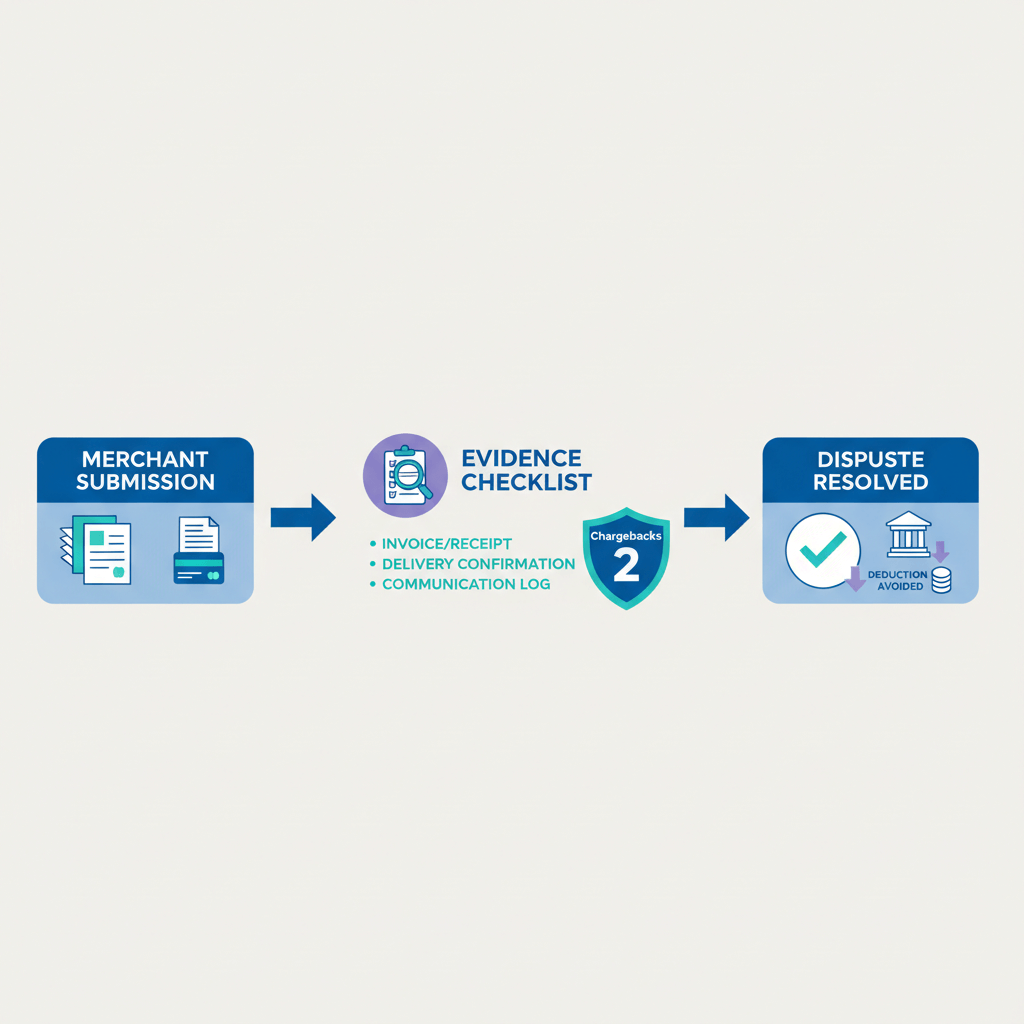
Core evidence checklist for chargeback disputes

Transaction level data

  • Authorization logs: AVS match, CVV match, 3D Secure or OTP status, 3D Secure often shifts fraud liability to the issuing bank.
  • IP address and device fingerprint: Demonstrate origin and consistency with the client’s location or history.
  • Payment receipt: Email or SMS confirmation sent at the time of payment.
  • Processor transaction ID: Screenshot the unique ID from your dashboard.
  • Payment link ID: Include the URL and creation timestamp.

Export these from your Razorpay, Instamojo, Karbon, PayPal, or Stripe dashboards.

Customer identity and relationship proof

  • Legal name, email, phone: As captured during onboarding or in the agreement.
  • Billing and shipping address match: For goods, for services, a billing match helps.
  • Company name and website: Add LinkedIn or domain for business clients.
  • Prior order history: Past invoices and payment dates prove a trusted relationship.
  • KYC snippets: Screenshots of LinkedIn, Upwork, or Fiverr profiles, avoid sensitive IDs unless required.

Contract and terms

  • Signed SOW or agreement: Deliverables, timelines, payment terms, and acceptance criteria.
  • Dated proposal with acceptance: Even an email reply, “approved” or “let’s proceed,” counts.
  • Versioned terms at checkout: Screenshot where terms appear on your payment link.
  • Explicit acceptance proof: Checkbox with timestamp, e signature trail, or email “agreed.”
  • Refund and cancellation policy: Highlight clauses like “no refunds after delivery” if disclosed pre payment.

Scope and deliverables evidence

  • Milestone plan with dates: Timeline or chart showing phases and completion.
  • Approved change requests: Emails or messages where the client asked and you confirmed scope changes.
  • Acceptance criteria: The checklist or rubric used for sign off.

Proof of delivery

For physical goods:

  • Courier tracking number and delivery confirmation.
  • Delivery scans or photos, signature or doorstep photo, GPS if available.
  • Shipping label showing the client’s address.

For digital goods and services:

  • Git commit logs or repository access timelines.
  • Figma, Canva, Google Drive share and access logs.
  • Email records showing attachments sent and opened.
  • Dropbox or Drive logs proving open or download events.
  • Meeting notes, call summaries, or screen share recordings.
  • UAT messages or sign off emails.

For advisory work, include calendar invites, Zoom logs, and follow up emails summarizing decisions.

Communication trail

  • Email threads: Kick off, approvals, feedback, and final acceptance.
  • WhatsApp or Telegram exports: Use Export Chat, convert to PDF.
  • Support tickets: Freshdesk, Zendesk, or Help Scout logs.
  • Call summaries: Dates, times, and key decisions.

Highlight approvals like “Looks great,” “Approved for launch,” and show responsiveness within 24 to 48 hours. Annotate screenshots, point reviewers to key lines.

Invoice and compliance records

  • Invoice with line items: Description, quantity or hours, rate, totals, invoice number, and dates.
  • Payment confirmation: The processor receipt tying payment to the invoice.
  • e-FIRA: Auto generated by RBI compliant platforms, links the payment to an export of services.
  • GST invoice: If registered, attach your tax invoice.

Remediation history

  • Offered fixes: Revised designs or updated builds per feedback.
  • Goodwill credits: Partial refunds or discounts if offered.
  • Support response timestamps: Show timely replies and solutions.

Mapping evidence to reason codes

  • Fraud or no authorization: 3D Secure proof, AVS or CVV match, IP matching billing location, prior history, and communication proving awareness.
  • Goods or services not received: Tracking, access logs, email receipts, acceptance messages, and meeting notes.
  • Not as described or defective: SOW, before and after screens, final acceptance, remediation attempts, and approved change requests.
  • Duplicate or processing error: Bank reconciliation, refund receipts, and transaction logs.

Always tailor exhibits to the exact reason code in your processor notice.

How to compile and submit chargeback evidence

  • Create a single PDF packet: Table of contents, one page narrative, and numbered exhibits.
  • Write the narrative to the code: Example, “Client claims services not received, Exhibits 3 and 4 show Git commits and acceptance on March 15.”
  • Label files clearly: 01_Contract_and_SOW.pdf, 02_Proof_of_Delivery.pdf, 03_Client_Acceptance.pdf.
  • Highlight dates and acceptance: Use clear callouts on key timestamps.
  • Exclude noise: Include only messages proving authorization, delivery, or acceptance.
  • File structure: ProjectName_ClientName_Date/01_Contract_and_SOW.pdf for easy retrieval.
  • Retain raw logs: Keep originals in Drive or Dropbox for arbitration.
  • Submit early: Upload via your processor dashboard, set a reminder 48 hours before cutoff.
  • Confirm receipt: Screenshot the submission confirmation.

Prevention playbook, stop chargebacks before they start

  • Tighten terms: One page SOW per project, clear scope, deliverables, acceptance criteria, refund policy, and feedback timelines.
  • Plain language: Avoid legalese, require explicit acceptance by email or e signature.
  • Milestone approvals: Do not move phases without sign off, capture “Phase approved” messages or PM tool screenshots.
  • Enable 3D Secure and AVS: Turn them on for payment links, verify email and billing before large captures.
  • Prefer bank transfers for repeats: ACH, SEPA, and FPS reduce chargeback risk compared to cards.
  • Tracked links: Share deliverables via Drive, Dropbox, Figma, or Git, log views and downloads.
  • Respond fast: Acknowledge complaints within 24 to 48 hours, offer fixes.

Indian freelancer specifics and workflow tips

  • Centralize documents: ClientName_ProjectName_Year folder holding SOW, invoices, e-FIRA, emails, and deliverables.
  • Retention: Keep records for two years, some chargebacks arrive up to 540 days later.
  • Export WhatsApp chats: Export, convert to PDF, attach relevant parts.
  • Protect personal IDs: Do not include Aadhaar or PAN unless explicitly required.
  • Buffer for time zones: Allow upload and review margins if issuers sit in US or EU.
  • Response templates: Maintain a one page narrative template and a “common exhibits” folder.

How Karbon Business fits into your chargeback defense

Karbon Business payment links include 3D Secure by default, strengthening fraud defenses. Detailed invoices with client details and confirmations are auto generated, which double as ready to use exhibits. Virtual USD, GBP, EUR, and CAD accounts let you receive domestic transfers via ACH, SEPA, and FPS, these carry near zero chargeback risk compared to cards. Every payment triggers e-FIRA within 24 hours, tying funds to export of services and supporting your audit trail. The dashboard centralizes logs, receipts, and client data, so you can export and submit evidence within tight timelines.

Mini case study, how a Mumbai designer won a chargeback dispute

Priya, a freelance brand designer in Mumbai, delivered a logo and brand guide to a UK startup. Two weeks post payment, she received “services not received.” Her processor deadline, 10 calendar days.

Day 0: She paused direct dispute communication and opened her project folder.
Day 1: She gathered authorization logs with 3D Secure, the receipt, the client’s email “Let’s go ahead,” Figma access logs, emails with attachments opened, WhatsApp “Looks perfect, thank you,” the milestone timeline, and the invoice with e-FIRA.
Day 2: She compiled a single PDF, table of contents, one page summary tied to the code.
Day 3: She uploaded and saved the submission confirmation.
Day 45: Issuer reversed the chargeback, clear delivery proof, accepted terms, and timely submission won the dispute.

Organized evidence beats vague claims, map exhibits to the reason code and submit early.

Your 30 minute post chargeback workflow

  • Minute 0 to 5: Read the reason code and the deadline, set a reminder 48 hours before cutoff.
  • Minute 5 to 15: Open the project folder, pull contract, invoice, delivery proof, and key communications.
  • Minute 15 to 25: Fill the checklist and map each exhibit to the reason code.
  • Minute 25 to 30: Draft a one page summary, export everything into one PDF, upload, and confirm receipt.

Conclusion, win chargebacks with organized evidence, not long emails

Chargebacks are stressful, yet winnable when you submit a clean packet, transaction data, proof of delivery, accepted terms, client communication, and compliance like e-FIRA and GST invoices. Prevention is stronger, tighten contracts, require milestone approvals, enable 3D Secure, and nudge repeat clients to bank transfers. For an industry perspective on evidence standards, explore compelling evidence, how to win a chargeback dispute.

Download your evidence checklist and templates: One page checklist, reason code mapped table of contents, and a file naming and submission guide. Keep this bookmarked, share with fellow freelancers, and turn future disputes into a predictable process.

FAQ

I’m an Indian freelancer, what is the fastest way to respond when a chargeback hits my USD payment?

Read the reason code, set a reminder 48 hours before the cutoff, gather transaction logs, accepted terms, proof of delivery, and a short narrative tied to the code, compile a single PDF and submit via your processor dashboard. If you use Karbon Business, pull 3D Secure logs, the auto generated invoice, and e-FIRA from the dashboard in minutes.

Can I win a fraud chargeback without 3D Secure if the client paid via a card link?

Yes, though it is harder. Include AVS and CVV matches, IP and device data that aligns with the client’s location, prior order history, and messages showing they knew about the charge. Enabling 3D Secure on Karbon Business links is a strong safeguard, it often shifts fraud liability to the issuer.

How do I prove services were delivered when the project was fully digital, like design files or code?

Use Git commit logs, Figma or Adobe Cloud access timestamps, Google Drive or Dropbox view or download logs, and emails with attachments sent and opened. Add acceptance messages, “Looks great,” or “Approved.” Karbon Business invoices plus e-FIRA help tie payment to a legitimate export of services.

Client said “not as described,” but they approved changes on WhatsApp, will that hold in a dispute?

Yes, export the WhatsApp chat, include the specific messages where scope changes were requested and confirmed, and pair them with your SOW and final acceptance messages. Keep the focus on dated approvals and delivery timestamps.

What exactly should my one page dispute summary contain to convince the bank reviewer?

State the transaction date, client name, reason code, and a factual timeline. Then reference exhibits by number, “Exhibit 2 shows 3D Secure authentication,” “Exhibits 4 and 5 show file access on March 15,” conclude with a clear ask, “Reverse the chargeback due to confirmed delivery and acceptance.”

Does e-FIRA really matter for freelancers receiving international payments?

It does, e-FIRA ties the inward remittance to an export of services, demonstrating compliance and legitimacy. Attach e-FIRA with your invoice and receipt, if you use Karbon Business, it is auto generated within 24 hours and stored in your dashboard.

What prevention steps reduce chargebacks for repeat overseas clients?

Require written milestone approvals, enable 3D Secure and AVS, and switch repeat clients to bank transfers like ACH, SEPA, or FPS. Karbon Business provides local details in USD, GBP, EUR, and CAD, so clients pay via domestic routes with minimal chargeback risk.

My client never signed a formal contract, only said “approved” over email, is that enough?

Yes, explicit approval via email is accepted. Include the full thread with timestamps, plus your scope or SOW document, and the delivery or access logs that match dates. Keep the packet concise, focused on acceptance and delivery.

If I miss the 10 day evidence window, can I appeal later with more documents?

Missing the window usually means an automatic loss. Some processors allow limited post decision review, but outcomes rarely change. Treat the deadline as hard, set reminders early, and submit a well organized packet on time.

How should I store proof and templates so I am ready within hours, not days?

Create a client folder with SOW, invoices, e-FIRA, acceptance emails, and deliverable logs. Maintain a reusable one page narrative template, a standard terms file, and a “common exhibits” folder. If using Karbon Business, pull transaction data and invoices directly from the dashboard and add them to your packet.

Is offering a small goodwill refund before a chargeback helpful or harmful?

Goodwill can help resolve complaints, but once a chargeback is filed, avoid negotiating in writing. Document any pre dispute remediation offers, they show professionalism. During the dispute, stick to formal evidence channels only.

What is the best way to show delivery and acceptance for consulting calls or audits?

Attach calendar invites, Zoom or Meet logs, and follow up emails summarizing outcomes and agreed actions. If the client replied “Thanks, this solves our issue,” include that. Pair these with the invoice and e-FIRA for a complete trail.

Will screenshots of Trello or Notion boards help me win “services not received” disputes?

Yes, project board screenshots with task timestamps and client checkmarks or comments are strong acceptance evidence. Add them as exhibits with arrows pointing to dates and “Done” states, and reference them in your one page summary.

For high value projects, should I split payments by milestones to reduce risk?

Splitting by milestones is smart, each milestone gets its own acceptance and invoice, which narrows dispute scope. Enable 3D Secure for each payment link, or move the client to ACH or SEPA via Karbon Business for lower risk flows.

What exact language should I use when a client pings me during the dispute review?

Stay factual and neutral, “The payment processor is reviewing the transaction, I have submitted the required documentation.” Do not say “I might be at fault,” or “I will refund,” during the review period, that can undermine your case.

Key takeaways

  • Chargebacks freeze or reverse your funds, refunds are voluntary, know the difference and respond with evidence, not emotion.
  • Submit a tight evidence packet within 7 to 14 days, map proof to the reason code, and set a personal buffer deadline 48 to 72 hours before cutoff.
  • Core exhibits include transaction data, accepted terms, scope and deliverables, proof of delivery, communication trail, invoices, compliance documents, and remediation history.
  • Enable 3D Secure and AVS on payment links, require milestone approvals, and for repeat clients, move to bank transfers to reduce chargeback risk.
  • Organize everything in a single PDF with a one page summary, table of contents, and numbered exhibits, highlight dates and acceptance messages.
  • For Indian freelancers, store e-FIRA and GST invoices with SOW in a client folder, export WhatsApp chats, and retain files for at least two years.
  • Platforms like Karbon Business simplify evidence, automate e-FIRA, enable 3D Secure, and offer local currency accounts for ACH, SEPA, and FPS transfers.
  • Follow a 30 minute post alert workflow, read the reason code, gather key exhibits, compile, upload, and confirm receipt, win disputes with organized proof.

Who this guide is for and why chargebacks hit Indian freelancers harder

Indian freelancers and solo service providers dealing with international card payments face unique challenges, you work across time zones, approvals often happen on WhatsApp, and scope shifts mid project. When a chargeback lands, you have days, not weeks, to respond. The fix is preparation, keep clear terms, define milestones, and capture delivery with timestamps. This guide shows how to gather, organize, and submit the exact evidence card networks expect.

You don’t win with long emails, you win with clean, dated, accepted proof tied to the reason code.

Chargeback vs refund, know the difference

A refund is voluntary, the client asks, you agree, and you return money. A chargeback is forced, the client goes to their bank, the issuer reverses the charge, and the card network applies strict rules. For a deeper primer, read refunds and chargebacks for Indian freelancers. Each dispute carries a reason code, fraud, not received, not as described, duplicate, your response must counter that exact code with relevant exhibits.

The dispute lifecycle and timelines you cannot miss

Day 0, your processor freezes or debits funds. Day 1 to 7 or 14, submit evidence, many platforms enforce a strict 10 day limit. Day 15 to 30, issuer review. Day 30 to 90+, outcome or arbitration. For process context, see chargebacks for Indian freelancers.

On Day 0, pause direct dispute talk with the client. Do not admit fault, do not offer refunds in writing. Set an internal deadline 48 to 72 hours before the cutoff, account for uploads, time zones, and advisor review.

Core evidence checklist for chargeback disputes

Transaction level data

  • Authorization logs: AVS match, CVV match, 3D Secure or OTP status, 3D Secure often shifts fraud liability to the issuing bank.
  • IP address and device fingerprint: Demonstrate origin and consistency with the client’s location or history.
  • Payment receipt: Email or SMS confirmation sent at the time of payment.
  • Processor transaction ID: Screenshot the unique ID from your dashboard.
  • Payment link ID: Include the URL and creation timestamp.

Export these from your Razorpay, Instamojo, Karbon, PayPal, or Stripe dashboards.

Customer identity and relationship proof

  • Legal name, email, phone: As captured during onboarding or in the agreement.
  • Billing and shipping address match: For goods, for services, a billing match helps.
  • Company name and website: Add LinkedIn or domain for business clients.
  • Prior order history: Past invoices and payment dates prove a trusted relationship.
  • KYC snippets: Screenshots of LinkedIn, Upwork, or Fiverr profiles, avoid sensitive IDs unless required.

Contract and terms

  • Signed SOW or agreement: Deliverables, timelines, payment terms, and acceptance criteria.
  • Dated proposal with acceptance: Even an email reply, “approved” or “let’s proceed,” counts.
  • Versioned terms at checkout: Screenshot where terms appear on your payment link.
  • Explicit acceptance proof: Checkbox with timestamp, e signature trail, or email “agreed.”
  • Refund and cancellation policy: Highlight clauses like “no refunds after delivery” if disclosed pre payment.

Scope and deliverables evidence

  • Milestone plan with dates: Timeline or chart showing phases and completion.
  • Approved change requests: Emails or messages where the client asked and you confirmed scope changes.
  • Acceptance criteria: The checklist or rubric used for sign off.

Proof of delivery

For physical goods:

  • Courier tracking number and delivery confirmation.
  • Delivery scans or photos, signature or doorstep photo, GPS if available.
  • Shipping label showing the client’s address.

For digital goods and services:

  • Git commit logs or repository access timelines.
  • Figma, Canva, Google Drive share and access logs.
  • Email records showing attachments sent and opened.
  • Dropbox or Drive logs proving open or download events.
  • Meeting notes, call summaries, or screen share recordings.
  • UAT messages or sign off emails.

For advisory work, include calendar invites, Zoom logs, and follow up emails summarizing decisions.

Communication trail

  • Email threads: Kick off, approvals, feedback, and final acceptance.
  • WhatsApp or Telegram exports: Use Export Chat, convert to PDF.
  • Support tickets: Freshdesk, Zendesk, or Help Scout logs.
  • Call summaries: Dates, times, and key decisions.

Highlight approvals like “Looks great,” “Approved for launch,” and show responsiveness within 24 to 48 hours. Annotate screenshots, point reviewers to key lines.

Invoice and compliance records

  • Invoice with line items: Description, quantity or hours, rate, totals, invoice number, and dates.
  • Payment confirmation: The processor receipt tying payment to the invoice.
  • e-FIRA: Auto generated by RBI compliant platforms, links the payment to an export of services.
  • GST invoice: If registered, attach your tax invoice.

Remediation history

  • Offered fixes: Revised designs or updated builds per feedback.
  • Goodwill credits: Partial refunds or discounts if offered.
  • Support response timestamps: Show timely replies and solutions.

Mapping evidence to reason codes

  • Fraud or no authorization: 3D Secure proof, AVS or CVV match, IP matching billing location, prior history, and communication proving awareness.
  • Goods or services not received: Tracking, access logs, email receipts, acceptance messages, and meeting notes.
  • Not as described or defective: SOW, before and after screens, final acceptance, remediation attempts, and approved change requests.
  • Duplicate or processing error: Bank reconciliation, refund receipts, and transaction logs.

Always tailor exhibits to the exact reason code in your processor notice.

How to compile and submit chargeback evidence

  • Create a single PDF packet: Table of contents, one page narrative, and numbered exhibits.
  • Write the narrative to the code: Example, “Client claims services not received, Exhibits 3 and 4 show Git commits and acceptance on March 15.”
  • Label files clearly: 01_Contract_and_SOW.pdf, 02_Proof_of_Delivery.pdf, 03_Client_Acceptance.pdf.
  • Highlight dates and acceptance: Use clear callouts on key timestamps.
  • Exclude noise: Include only messages proving authorization, delivery, or acceptance.
  • File structure: ProjectName_ClientName_Date/01_Contract_and_SOW.pdf for easy retrieval.
  • Retain raw logs: Keep originals in Drive or Dropbox for arbitration.
  • Submit early: Upload via your processor dashboard, set a reminder 48 hours before cutoff.
  • Confirm receipt: Screenshot the submission confirmation.

Prevention playbook, stop chargebacks before they start

  • Tighten terms: One page SOW per project, clear scope, deliverables, acceptance criteria, refund policy, and feedback timelines.
  • Plain language: Avoid legalese, require explicit acceptance by email or e signature.
  • Milestone approvals: Do not move phases without sign off, capture “Phase approved” messages or PM tool screenshots.
  • Enable 3D Secure and AVS: Turn them on for payment links, verify email and billing before large captures.
  • Prefer bank transfers for repeats: ACH, SEPA, and FPS reduce chargeback risk compared to cards.
  • Tracked links: Share deliverables via Drive, Dropbox, Figma, or Git, log views and downloads.
  • Respond fast: Acknowledge complaints within 24 to 48 hours, offer fixes.

Indian freelancer specifics and workflow tips

  • Centralize documents: ClientName_ProjectName_Year folder holding SOW, invoices, e-FIRA, emails, and deliverables.
  • Retention: Keep records for two years, some chargebacks arrive up to 540 days later.
  • Export WhatsApp chats: Export, convert to PDF, attach relevant parts.
  • Protect personal IDs: Do not include Aadhaar or PAN unless explicitly required.
  • Buffer for time zones: Allow upload and review margins if issuers sit in US or EU.
  • Response templates: Maintain a one page narrative template and a “common exhibits” folder.

How Karbon Business fits into your chargeback defense

Karbon Business payment links include 3D Secure by default, strengthening fraud defenses. Detailed invoices with client details and confirmations are auto generated, which double as ready to use exhibits. Virtual USD, GBP, EUR, and CAD accounts let you receive domestic transfers via ACH, SEPA, and FPS, these carry near zero chargeback risk compared to cards. Every payment triggers e-FIRA within 24 hours, tying funds to export of services and supporting your audit trail. The dashboard centralizes logs, receipts, and client data, so you can export and submit evidence within tight timelines.

Mini case study, how a Mumbai designer won a chargeback dispute

Priya, a freelance brand designer in Mumbai, delivered a logo and brand guide to a UK startup. Two weeks post payment, she received “services not received.” Her processor deadline, 10 calendar days.

Day 0: She paused direct dispute communication and opened her project folder.
Day 1: She gathered authorization logs with 3D Secure, the receipt, the client’s email “Let’s go ahead,” Figma access logs, emails with attachments opened, WhatsApp “Looks perfect, thank you,” the milestone timeline, and the invoice with e-FIRA.
Day 2: She compiled a single PDF, table of contents, one page summary tied to the code.
Day 3: She uploaded and saved the submission confirmation.
Day 45: Issuer reversed the chargeback, clear delivery proof, accepted terms, and timely submission won the dispute.

Organized evidence beats vague claims, map exhibits to the reason code and submit early.

Your 30 minute post chargeback workflow

  • Minute 0 to 5: Read the reason code and the deadline, set a reminder 48 hours before cutoff.
  • Minute 5 to 15: Open the project folder, pull contract, invoice, delivery proof, and key communications.
  • Minute 15 to 25: Fill the checklist and map each exhibit to the reason code.
  • Minute 25 to 30: Draft a one page summary, export everything into one PDF, upload, and confirm receipt.

Conclusion, win chargebacks with organized evidence, not long emails

Chargebacks are stressful, yet winnable when you submit a clean packet, transaction data, proof of delivery, accepted terms, client communication, and compliance like e-FIRA and GST invoices. Prevention is stronger, tighten contracts, require milestone approvals, enable 3D Secure, and nudge repeat clients to bank transfers. For an industry perspective on evidence standards, explore compelling evidence, how to win a chargeback dispute.

Download your evidence checklist and templates: One page checklist, reason code mapped table of contents, and a file naming and submission guide. Keep this bookmarked, share with fellow freelancers, and turn future disputes into a predictable process.

FAQ

I’m an Indian freelancer, what is the fastest way to respond when a chargeback hits my USD payment?

Read the reason code, set a reminder 48 hours before the cutoff, gather transaction logs, accepted terms, proof of delivery, and a short narrative tied to the code, compile a single PDF and submit via your processor dashboard. If you use Karbon Business, pull 3D Secure logs, the auto generated invoice, and e-FIRA from the dashboard in minutes.

Can I win a fraud chargeback without 3D Secure if the client paid via a card link?

Yes, though it is harder. Include AVS and CVV matches, IP and device data that aligns with the client’s location, prior order history, and messages showing they knew about the charge. Enabling 3D Secure on Karbon Business links is a strong safeguard, it often shifts fraud liability to the issuer.

How do I prove services were delivered when the project was fully digital, like design files or code?

Use Git commit logs, Figma or Adobe Cloud access timestamps, Google Drive or Dropbox view or download logs, and emails with attachments sent and opened. Add acceptance messages, “Looks great,” or “Approved.” Karbon Business invoices plus e-FIRA help tie payment to a legitimate export of services.

Client said “not as described,” but they approved changes on WhatsApp, will that hold in a dispute?

Yes, export the WhatsApp chat, include the specific messages where scope changes were requested and confirmed, and pair them with your SOW and final acceptance messages. Keep the focus on dated approvals and delivery timestamps.

What exactly should my one page dispute summary contain to convince the bank reviewer?

State the transaction date, client name, reason code, and a factual timeline. Then reference exhibits by number, “Exhibit 2 shows 3D Secure authentication,” “Exhibits 4 and 5 show file access on March 15,” conclude with a clear ask, “Reverse the chargeback due to confirmed delivery and acceptance.”

Does e-FIRA really matter for freelancers receiving international payments?

It does, e-FIRA ties the inward remittance to an export of services, demonstrating compliance and legitimacy. Attach e-FIRA with your invoice and receipt, if you use Karbon Business, it is auto generated within 24 hours and stored in your dashboard.

What prevention steps reduce chargebacks for repeat overseas clients?

Require written milestone approvals, enable 3D Secure and AVS, and switch repeat clients to bank transfers like ACH, SEPA, or FPS. Karbon Business provides local details in USD, GBP, EUR, and CAD, so clients pay via domestic routes with minimal chargeback risk.

My client never signed a formal contract, only said “approved” over email, is that enough?

Yes, explicit approval via email is accepted. Include the full thread with timestamps, plus your scope or SOW document, and the delivery or access logs that match dates. Keep the packet concise, focused on acceptance and delivery.

If I miss the 10 day evidence window, can I appeal later with more documents?

Missing the window usually means an automatic loss. Some processors allow limited post decision review, but outcomes rarely change. Treat the deadline as hard, set reminders early, and submit a well organized packet on time.

How should I store proof and templates so I am ready within hours, not days?

Create a client folder with SOW, invoices, e-FIRA, acceptance emails, and deliverable logs. Maintain a reusable one page narrative template, a standard terms file, and a “common exhibits” folder. If using Karbon Business, pull transaction data and invoices directly from the dashboard and add them to your packet.

Is offering a small goodwill refund before a chargeback helpful or harmful?

Goodwill can help resolve complaints, but once a chargeback is filed, avoid negotiating in writing. Document any pre dispute remediation offers, they show professionalism. During the dispute, stick to formal evidence channels only.

What is the best way to show delivery and acceptance for consulting calls or audits?

Attach calendar invites, Zoom or Meet logs, and follow up emails summarizing outcomes and agreed actions. If the client replied “Thanks, this solves our issue,” include that. Pair these with the invoice and e-FIRA for a complete trail.

Will screenshots of Trello or Notion boards help me win “services not received” disputes?

Yes, project board screenshots with task timestamps and client checkmarks or comments are strong acceptance evidence. Add them as exhibits with arrows pointing to dates and “Done” states, and reference them in your one page summary.

For high value projects, should I split payments by milestones to reduce risk?

Splitting by milestones is smart, each milestone gets its own acceptance and invoice, which narrows dispute scope. Enable 3D Secure for each payment link, or move the client to ACH or SEPA via Karbon Business for lower risk flows.

What exact language should I use when a client pings me during the dispute review?

Stay factual and neutral, “The payment processor is reviewing the transaction, I have submitted the required documentation.” Do not say “I might be at fault,” or “I will refund,” during the review period, that can undermine your case.

The views expressed in the blogs on this page are solely the opinions of the authors and do not constitute expert advice. While we strive to provide accurate and up-to-date information, we make no representations or warranties of any kind, express or implied, about the completeness, accuracy, reliability, suitability or availability with respect to the website or the information, products, services, or related graphics contained on the website for any purpose. Any reliance you place on such information is therefore strictly at your own risk. We disclaim any liability for any loss or damage including without limitation, indirect or consequential loss or damage, or any loss or damage whatsoever arising from loss of data or profits arising out of, or in connection with, the use of this website.

Find out how we can help you today!

Speak to our foreign payment specialist
Whatsapp-color Created with Sketch.
Whatsapp:
+91 74117 02726
Email:
sales@karboncard.com
Address:
Ground Floor, Karbon Business, 1st Stage Rd, Binnamangala, Hoysala Nagar, Indiranagar, Bengaluru, Karnataka 560038

Find out how we can help you today!

Speak to our foreign payment specialist
Whatsapp-color Created with Sketch.
Whatsapp:
+91 74117 02726
Email:
sales@karboncard.com
Address:
Ground Floor, Karbon Business, 1st Stage Rd, Binnamangala, Hoysala Nagar, Indiranagar, Bengaluru, Karnataka 560038

Latest from our blogs

Latest from our blogs

View All
× Save 50% - Start Now